94
Using the Menus: Shooting Mode
G
AF/MF SETTING
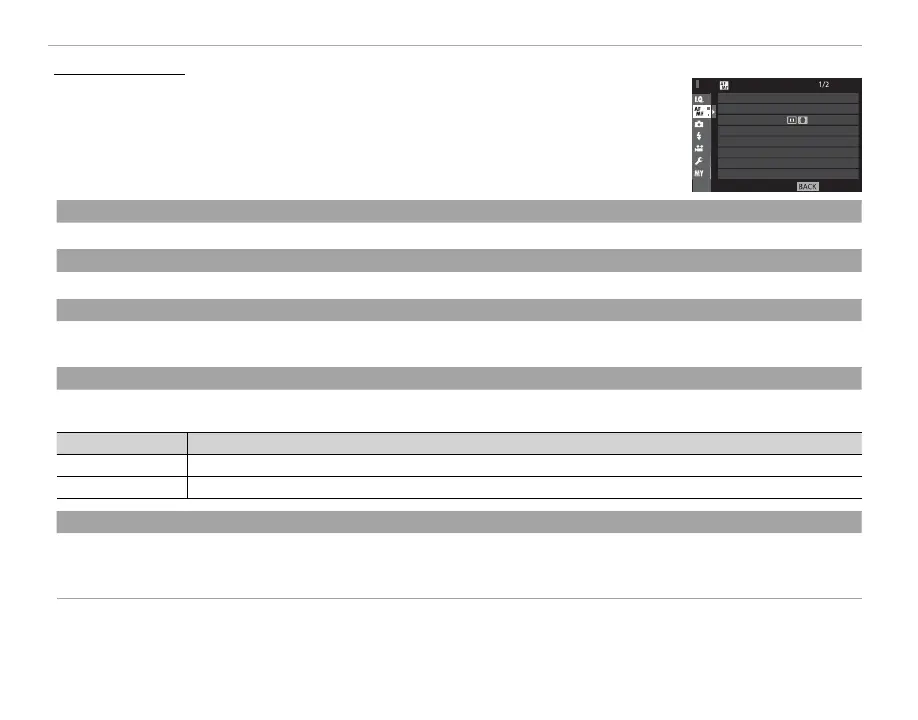
To adjust focus settings, press MENU/OK in the shooting display and select the
G (AF/MF SETTING) tab (P 89). The options available vary with the shooting
mode.
EXIT
AF/MF SETTING
AF MODE
AF POINT DISPLAY
NUMBER OF THE FOCUS POINTS
PRE-AF
AF ILLUMINATOR
FACE/EYE DETECTION SETTING
AF+MF
FOCUS AREA
FOCUS AREA
Choose the focus area (P 73). Focus-area selection can also be used to choose the focus point for manual focus and focus zoom.
AF MODE
Choose the AF mode for focus modes S and C (P 71).
AF POINT DISPLAY
yz
Choose whether individual focus frames are displayed when ZONE or WIDE/TRACKING is selected for AF MODE.
Options: ON/OFF
NUMBER OF THE FOCUS POINTS
NUMBER OF THE FOCUS POINTS
Choose the number of focus points available for focus-point selection in manual focus mode or when SINGLE POINT is selected
for AF MODE.
Option
Description
91 POINTS (7 × 13) Choose from 91 focus points arranged in a 7- by 13-point grid.
325 POINTS (13 × 25) Choose from 325 focus points arranged in a 13- by 25-point grid.
PRE-AF
If ON is selected, the camera will continue to adjust focus even when the shutter button is not pressed halfway for improved
shutter response. Note that this increases the drain on the battery.
Options: ON/OFF


 To Next Page