25
First Steps
Basic Setup
A language-selection dialog is displayed the rst time the camera is turned on.
1
Choose a language.
Highlight a language and press MENU/OK.
R Press DISP/BACK to skip the current step. Any steps you skip will be displayed the next time the
camera is turned on.
2
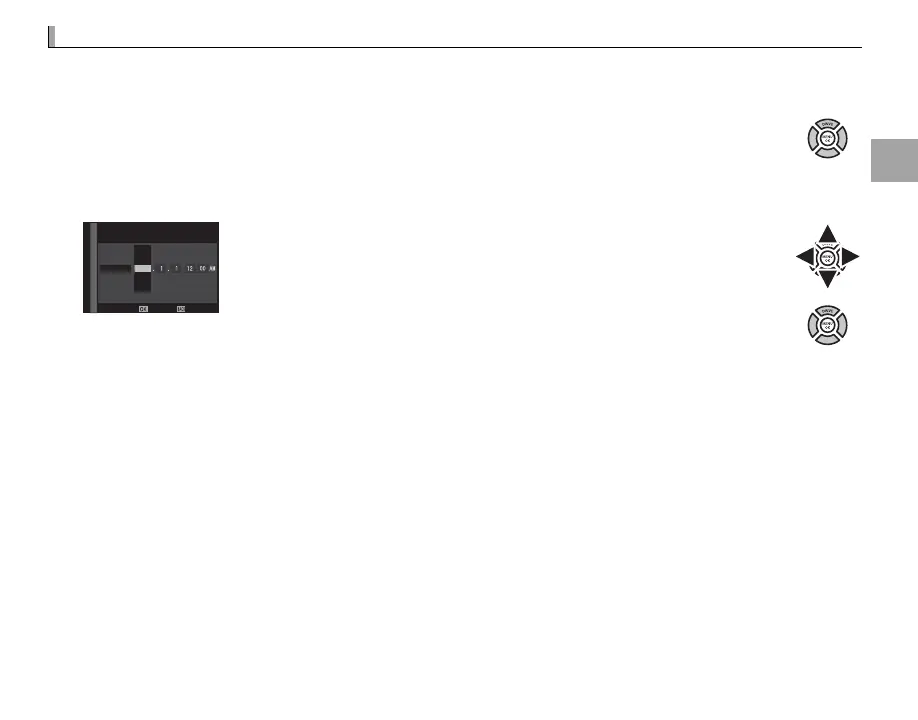
Set the date and time.
DATE/TIME NOT SET
NOSET
YY.MM.DD
AM
2018
2019
2016
2015
2017
Press the selector left or right to highlight the year, month, day, hour,
or minute and press up or down to change. To change the order in
which the year, month, and day are displayed, highlight the date for-
mat and press the selector up or down. Press MENU/OK to exit to shoot-
ing mode when settings are complete.
R If the battery is removed for an extended period, the camera clock will be reset and the language-selection
dialog will be displayed when the camera is turned on.


 To Next Page