64
Metering
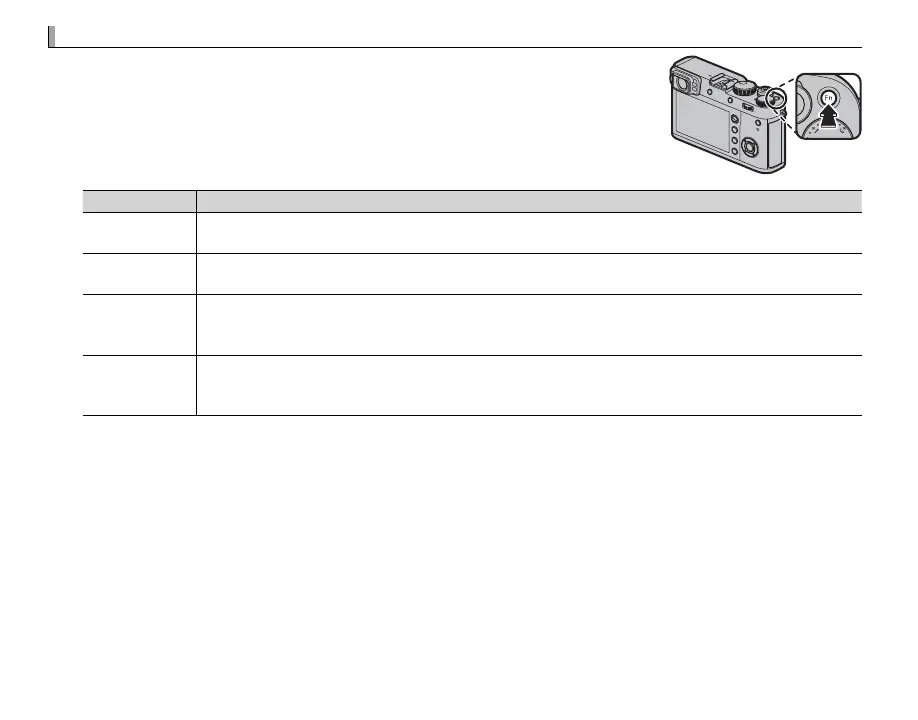
Choose how the camera meters exposure. Press the function (Fn1) button
to display the options shown below, then use the selector to highlight an
option and press MENU/OK to select.
Q The selected option will only take e ect when G AF/MF SETTING> FACE/EYE
DETECTION SETTING is o (P 95).
Mode
Description
o
(MULTI)
The camera instantly determines exposure based on an analysis of composition, color, and brightness
distribution. Recommended in most situations.
p
(CENTER WEIGHTED)
The camera meters the entire frame but assigns the greatest weight to the area at the center.
v
(SPOT)
The camera meters lighting conditions in an area at the center of the frame equivalent to 2% of the total.
Recommended with backlit subjects and in other cases in which the background is much brighter or
darker than the main subject.
w
(AVERAGE)
Exposure is set to the average for the entire frame. Provides consistent exposure across multiple shots
with the same lighting, and is particularly e ective for landscapes and portraits of subjects dressed in
black or white.
R Metering options can also be accessed using A SHOOTING SETTING> PHOTOMETRY (P 98).


 To Next Page