55
More on Photography and Playback
1
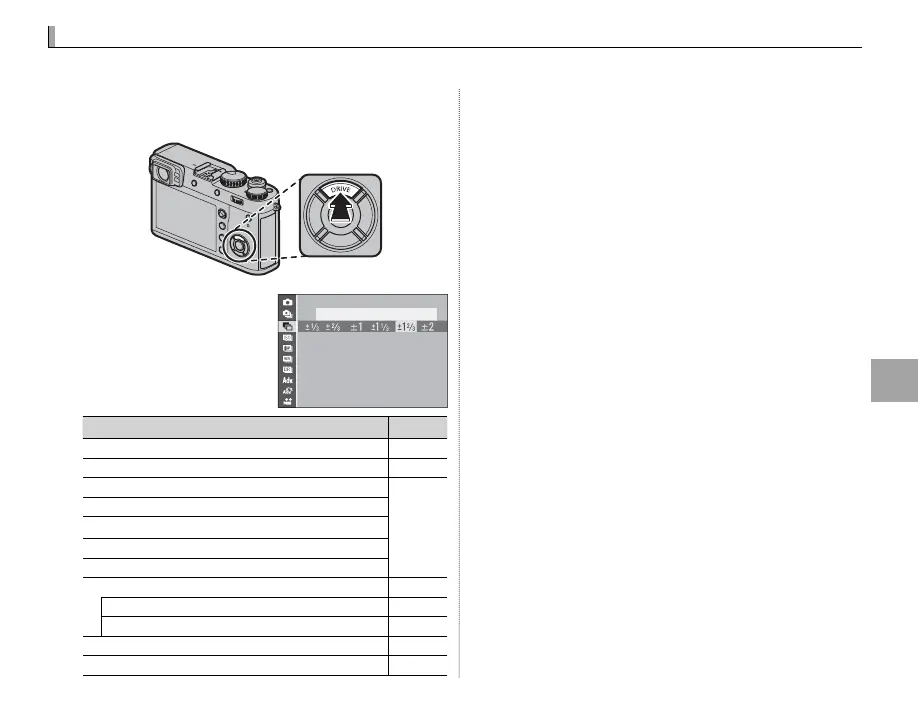
Press the DRIVE (e) button to display drive
mode options.
2
Press the selector up
or down to highlight a
drive mode.
AE BKT
Drive mode
P
B
STILL IMAGE
—
R
CONTINUOUS
56
O
AE BKT
57
W
ISO BKT
X
FILM SIMULATION BKT
V
WHITE BALANCE BKT
Y
DYNAMIC RANGE BKT
Adv. MODE
r
PANORAMA
59
j
MULTIPLE EXPOSURE
61
Y
ADVANCED FILTER
58
F
MOVIE
40
3
Press the selector left or right to choose a set-
ting.
• Burst mode (CONTINUOUS): Choose the frame-
advance rate.
• AE/ISO/WB BKT: Choose the bracketing incre-
ment.
• Adv. MODE: Choose a mode.
• ADVANCED FILTER: Choose a lter e ect.
4
Press MENU/OK.
5
Take pictures.
Drive Mode
Use the DRIVE (e) button to choose the drive mode.



 To Next Page