-12-
● When steaming.
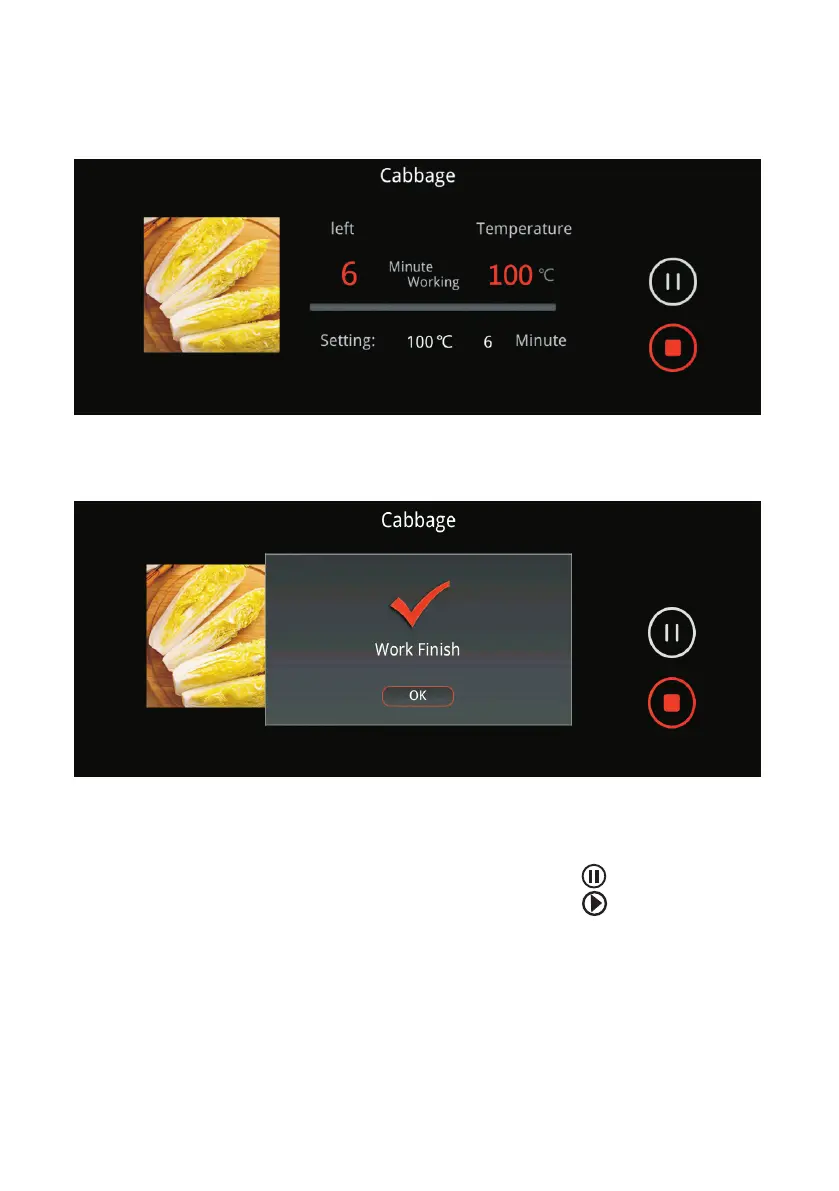
After the oven start steaming, the display panel will always on, you can see
the working time and current temperature.
After the cooking finish, the display will show as below, press “OK” to confirm
and the lock will release.
● Important Information on Steaming.
Operation, Cautions & Warnings
For safety, the oven door locking mechanism is automatically activated once
cooking starts. To inspect the food while cooking, press to pause cooking
and unlock to door. To resume, close the door and press .
If the oven is still hot, steam will be released when the door is opened. Stay
away from the appliance and wait until the steam has completely dissipates
before attempting to remove the cooked food.
In the last 3 minutes of cooking, to reduce the amount of water remaining on
the water heating element after cooking, the oven will cease pumping water
onto the heating element. Any water that remains on the heating element
will continue to be heated as normal till the time is up.



 To Next Page