Slide or press
the function
icons to select
the cooking
function as per
your preference.
As a safety precaution, just as the cooking is about to end the oven will
release some steam from the chamber through the oven vents.
In the last minutes the temperature may drop off slightly if the water on
the heating element is depleted and/or due to the venting.
There may be water remaining on the heating element after cooking.
The fan motor will continue to work for 15 minutes after cooking time has
finished.
WARNING! The oven door surface temperature can go up to 55℃
during the cooking process.
WARNING! When opening the door of a hot oven, open it gradually
to allow the steam to slowly escape and avoid the risk of scalding.
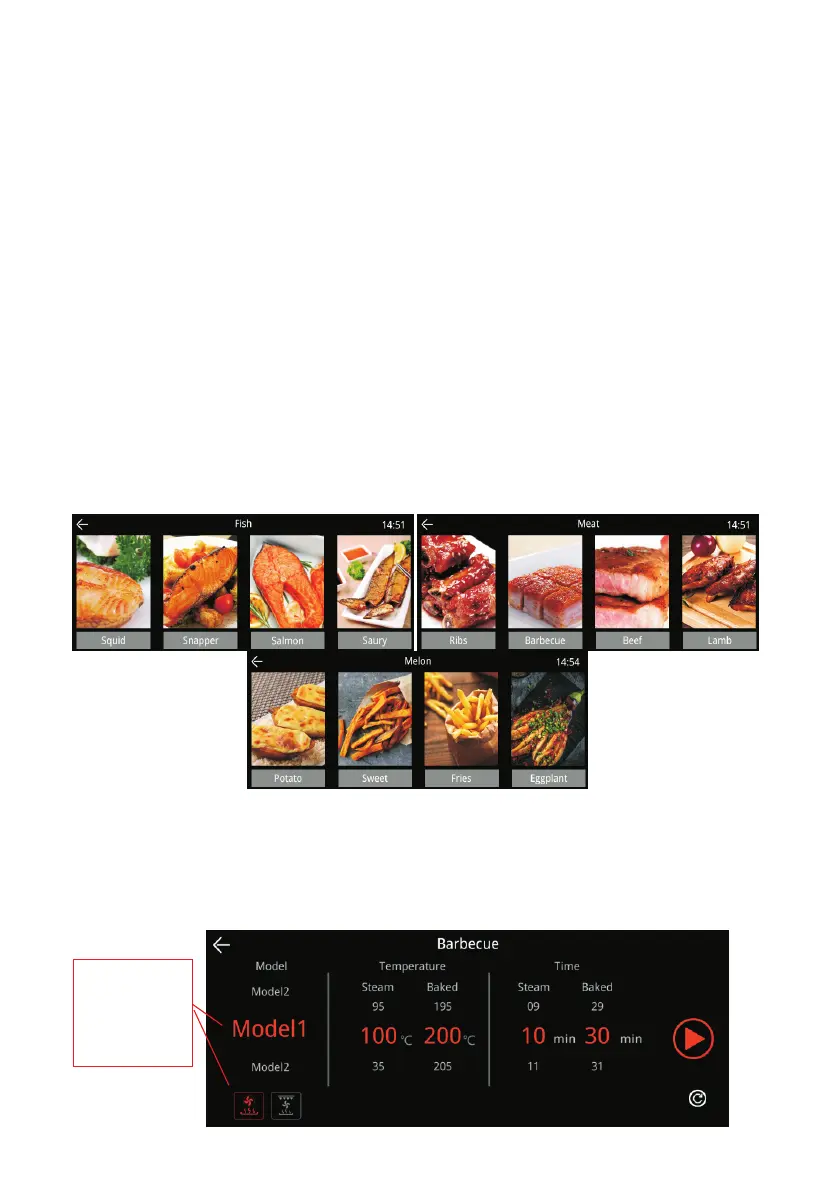
4. Combination Cooking Setting – Unite Function
● Select the kind food to cook, in the sub-menu you can select different foods.
● Adjust the cooking temperature and time.
The default setting of cooking time and temperature is displayed when the food
to be cooked is selected, but you can also adjust the time and temperature as
per your preference by sliding the numbers on temperature and time settings.
-13-



 To Next Page