Removing and installing components during servicing
62 10600690568, edition 1
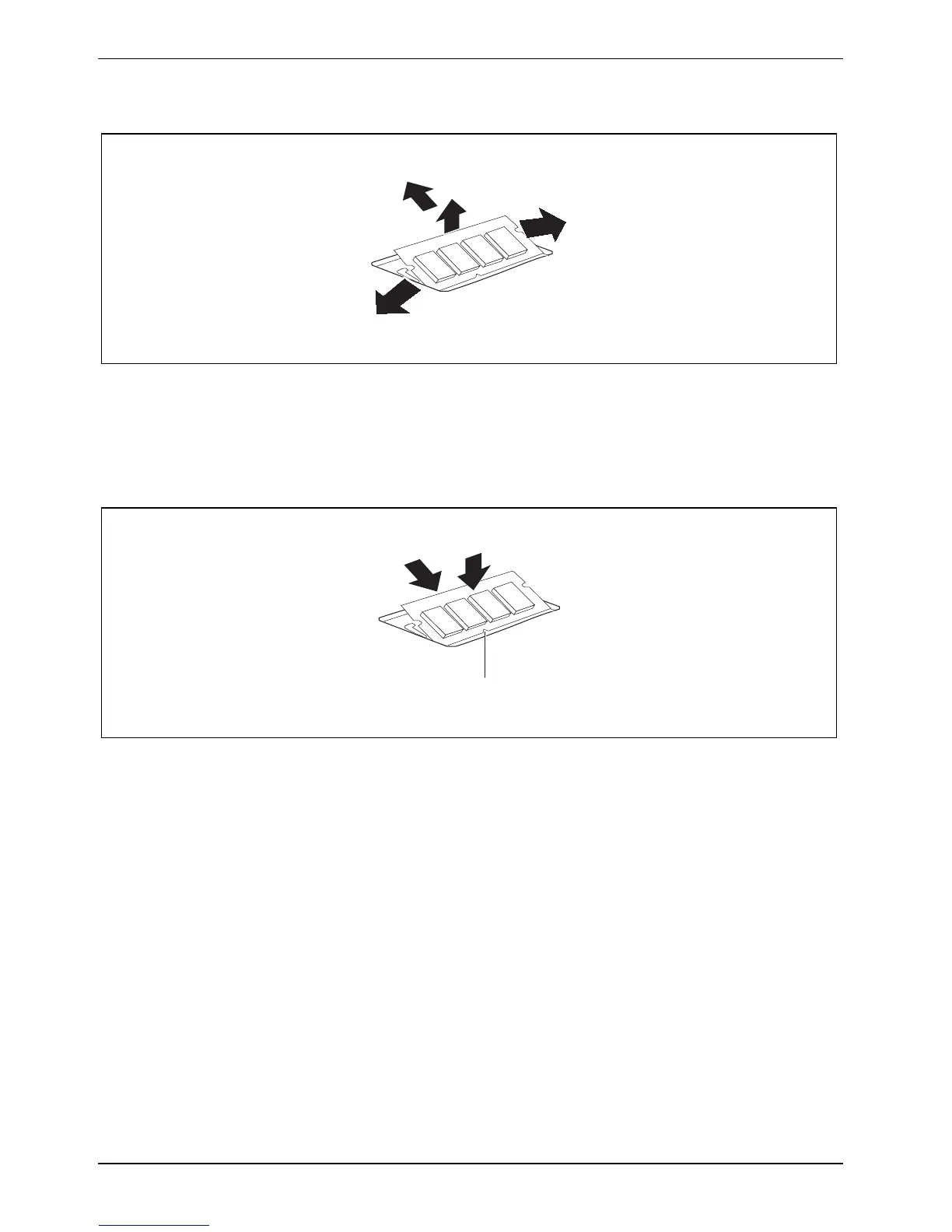
Removing a memory module
3
2
1
1
► Carefully push the two mounting clips outwards (1).
The memory module will flap upward (2).
► Pull the memory module out of its slot in the direction of the arrow (3).
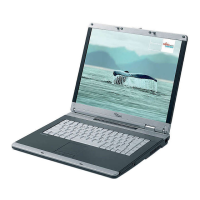
Installing a memory module
1
2
a
► Insert the memory module with the contacts and the recess (a) facing the slot (1).
► Carefully push the memory module downwards until it engages noticeably (2).


 To Next Page