Removing and installing components during servicing
10600690568, edition 1 63
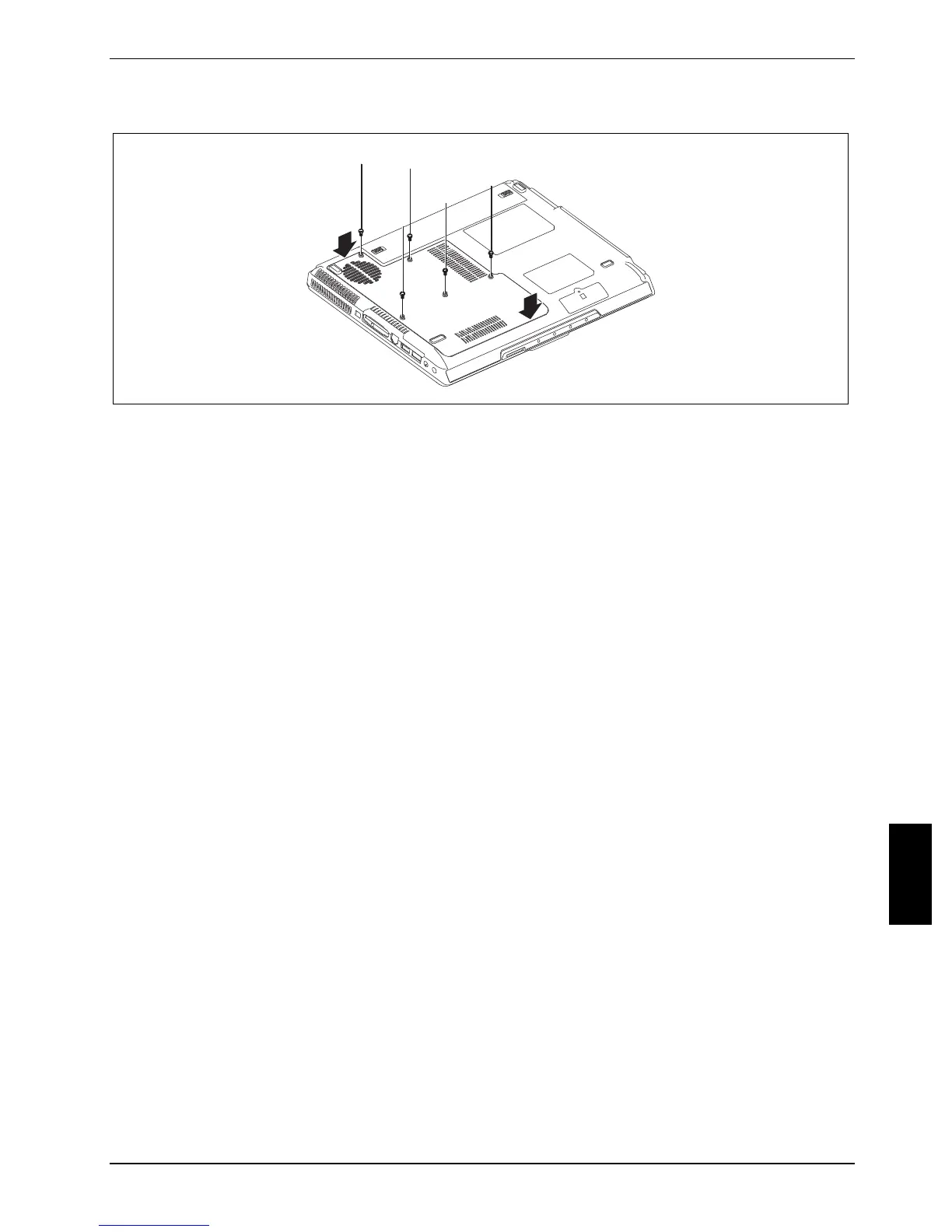
Mounting the cover
2
2
2
2
2
1
1
► Position the cover on its slot in the direction of the arrow (1).
► Fasten the cover with the screws (2).
► Install the battery (see "Inserting battery").
► Turn the notebook over and place it on a flat surface.
► Reconnect the cables that you disconnected before.


 To Next Page