3
FUJITSU Storage ETERNUS DX100 S3/DX200 S3 Hybrid Storage Systems Setup Guide
Copyright 2017 FUJITSU LIMITED
P3AM-7852-06ENZ0
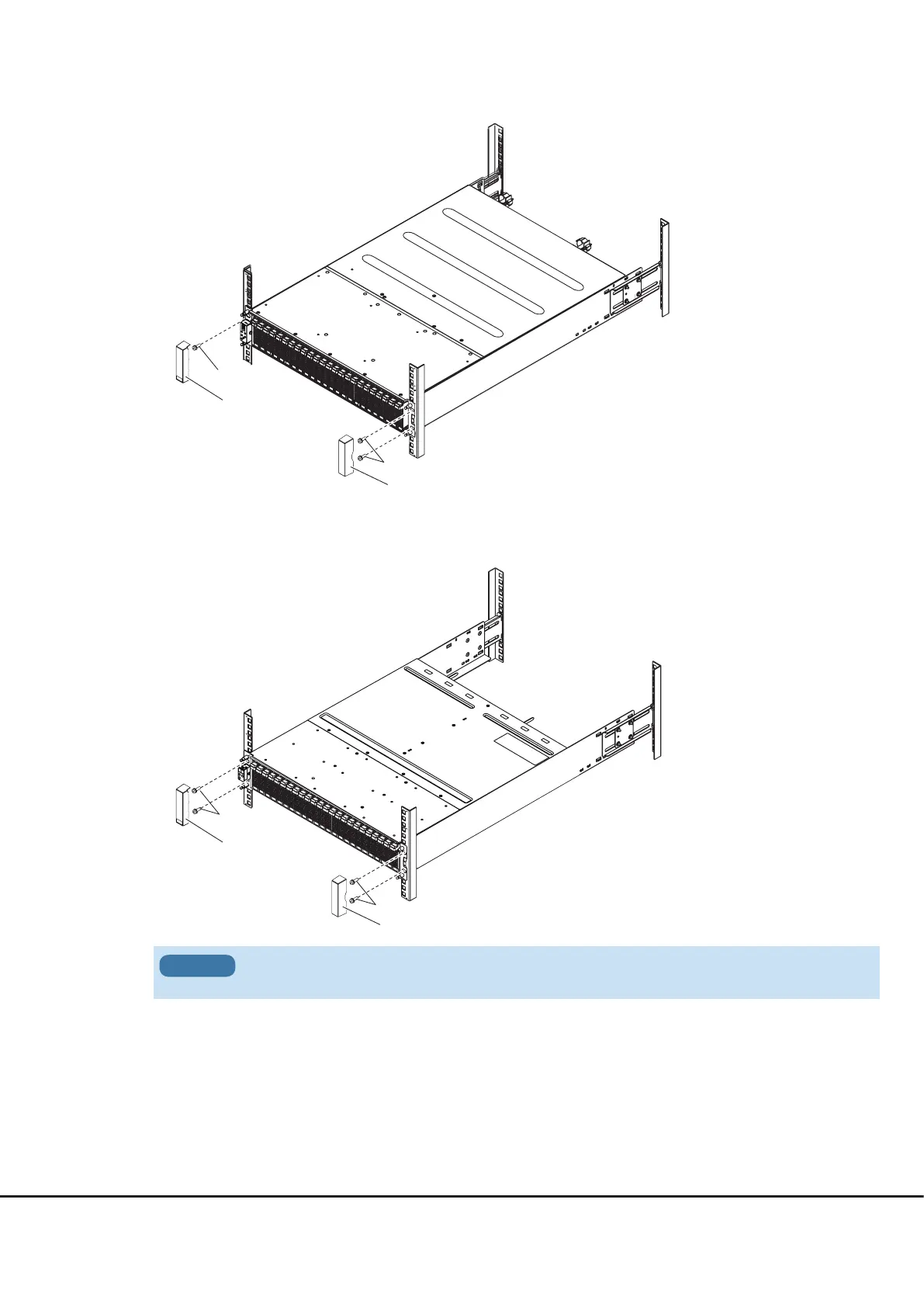
M5 screws
M5 screws
Flange cover
Flange cover
●
To fasten the controller enclosure
Use three M5 screws to fasten the controller enclosure to the rack pillars and attach the flange cover.
●
To fasten the drive enclosure
Use four M5 screws to fasten the drive enclosure to the rack pillars and attach the flange cover.
M5 screws
Flange cover
M5 screws
Flange cover
2.
Install and fasten the controller enclosure or the drive enclosure in the rack.
Make sure to install or remove the controller enclosure or the drive enclosure in the rack with two or more
people.
IMPORTANT











 To Next Page