4
FUJITSU Storage ETERNUS DX100 S3/DX200 S3 Hybrid Storage Systems Setup Guide
Copyright 2017 FUJITSU LIMITED
P3AM-7852-06ENZ0
High-density Drive Enclosures
1.
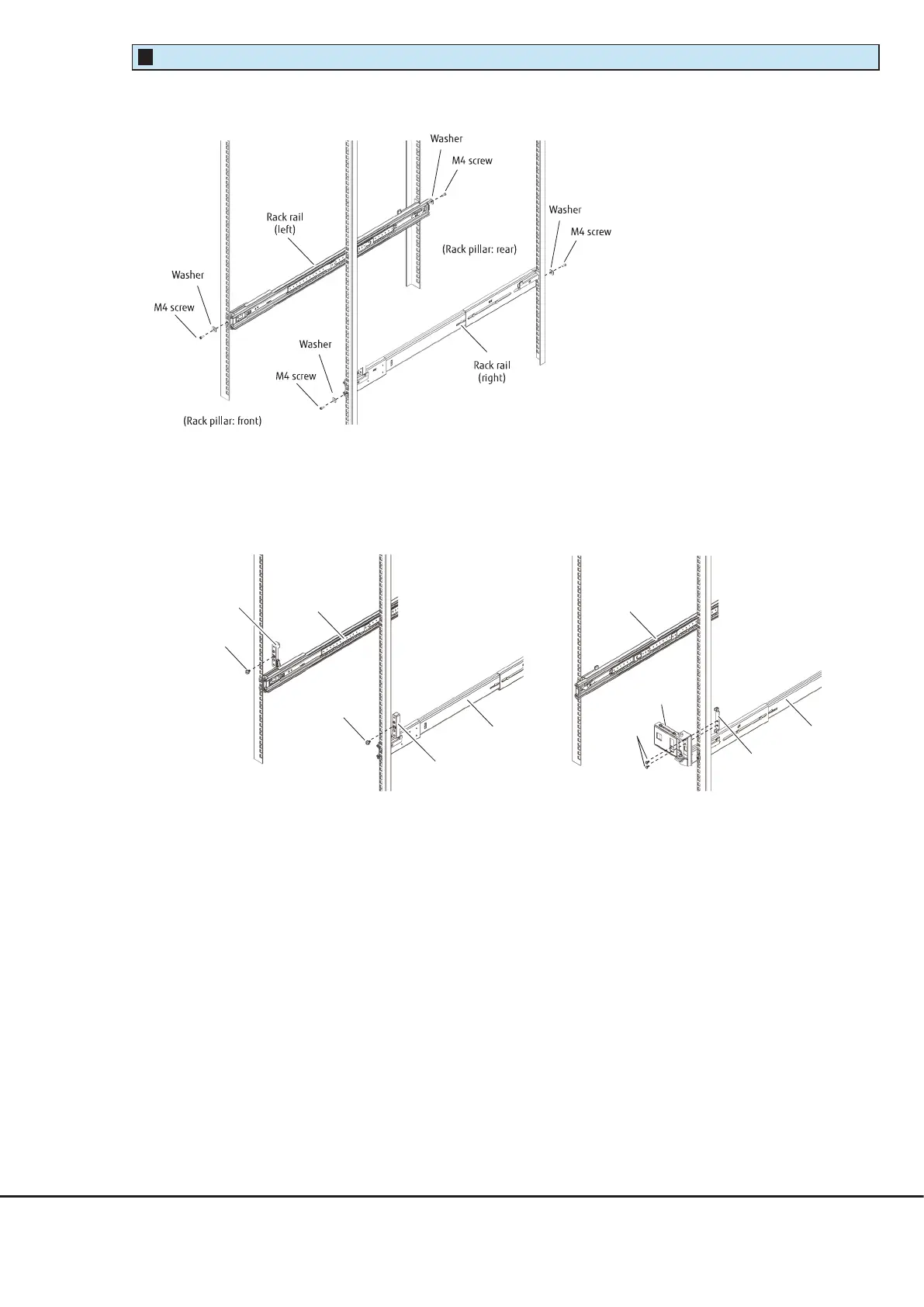
Attach the rack rails to the rack.
The size of a high-density drive enclosure is 4U.
2.
Install the stopper brackets (for the left and right sides) in the front, and then install the flap brackets in
the rear.
●
Rack pillar: front
●
Rack pillar: rear
Stopper bracket
(left)
(Rack pillar: front)
Rack rail
(right)
Rack rail
(left)
M5 screw
M5 screw
Stopper bracket
(right)
M4 screw
(Rack pillar: rear)
Rack rail
(left)
Rack rail
(right)
Flap bracket A
Flap bracket B











 To Next Page