EasyManua.ls Logo

Fujitsu Inverter - User Manual

Fujitsu Inverter
21 pages
Print Icon
To Next Page IconTo Next Page
Loading...
P/N9378532038-03
PortuguêsEspañol
AR CONDICIONADO
MANUAL DE OPERAÇÃO
Tipo chão
Guarde este manual para consulta posterior
MANUAL DE FUNCIONAMIENTO
Tipo de Piso
Guarde este manual para poderlo consultar en el futuro
9378532038-03_OM.indb cover19378532038-03_OM.indb cover1 2/25/2013 3:46:05 PM2/25/2013 3:46:05 PM

Other manuals for Fujitsu Inverter

Questions and Answers

  • C
    Cindy JimenezAug 19, 2025
    Why is my Fujitsu Inverter Air Conditioner not cooling well?
    • K
      Karen MillerAug 20, 2025
      Several factors can cause poor cooling performance in your Fujitsu Air Conditioner. Check if the air filter is dusty or if the air intake grille or outlet port is blocked. Ensure the thermostat is set correctly and that no windows or doors are open. For cooling, close curtains to block bright sunlight and reduce heat-generating appliances or the number of people in the room.
  • S
    Stephanie GarciaAug 22, 2025
    Why is water produced from the outdoor unit of my Fujitsu Air Conditioner?
    • K
      Katherine RobinsonAug 22, 2025
      During heating operation, water may be produced from the outdoor unit of your Fujitsu Air Conditioner due to the Automatic Defrosting operation.
  • T
    Tyler ChapmanAug 23, 2025
    How to improve cooling or heating performance of Fujitsu Air Conditioner?
    • S
      spayneAug 23, 2025
      If your Fujitsu Air Conditioner isn't cooling or heating well, check if the air filter is dirty or if the intake grille or outlet port are blocked. Ensure the temperature settings are correct and that no windows or doors are open. For cooling, close curtains to block sunlight and reduce heat sources like computers. Also, verify that the unit isn't set to SUPER QUIET operation and that the lower air outlet is not blocked.
  • A
    Amanda MeadowsAug 26, 2025
    Why is my Fujitsu Inverter Air Conditioner airflow weak or stops?
    • J
      Jennifer DavisAug 26, 2025
      Weak or stopped airflow in your Fujitsu Air Conditioner can occur for several reasons. When heating starts, fan speed is temporarily very low to allow internal parts to warm up. During heating, if the room temperature exceeds the thermostat setting, the outdoor unit will stop, and the indoor unit will operate at a very low fan speed. The unit may also temporarily stop during the Automatic Defrosting mode (between 4 and 15 minutes). The fan may operate at very low speed during Dry operation or when the unit is monitoring the room’s temperature. Also, in monitor AUTO operation, the fan will operate at very low speed.
  • K
    Karen MartinAug 27, 2025
    Why is my Fujitsu Air Conditioner not operating immediately?
    • L
      Linda CarrAug 27, 2025
      If your Fujitsu unit is stopped and immediately restarted, the compressor won't operate for about 3 minutes to prevent fuse blowouts. Also, when the electrical breaker is turned off and on again, the protection circuit will operate for about 3 minutes, preventing operation.
  • S
    Sean TranAug 29, 2025
    What to do if Fujitsu Inverter Air Conditioner doesn’t operate at all?
    • V
      Victoria LarsonAug 29, 2025
      If your Fujitsu Air Conditioner doesn't operate at all, check if the circuit breaker has been turned off or if there has been a power failure. Also, verify if a fuse has blown out or a circuit breaker has been tripped, and ensure the timer is not operating.
  • A
    Amy MillerSep 2, 2025
    Why Fujitsu Air Conditioner doesn’t operate immediately?
    • H
      Heather WeissSep 3, 2025
      If your Fujitsu Air Conditioner doesn't operate immediately after being turned on, it could be due to a built-in delay. The compressor will not operate for about 3 minutes after being stopped and immediately restarted to prevent fuse blowouts. Also, the protection circuit will operate for about 3 minutes after the electrical breaker is turned off and on again, or the power supply plug is disconnected and reconnected.
  • O
    Olivia LunaSep 5, 2025
    Why Fujitsu Inverter emits mist or steam?
    • L
      Lisa SandersSep 5, 2025
      During cooling or dry operation with your Fujitsu Air Conditioner, a thin mist may be emitted from the indoor unit. This happens due to the sudden cooling of room air, resulting in condensation and misting. During heating, the outdoor unit’s fan may stop, and steam may rise from the unit due to automatic defrosting operation.
  • T
    tina67Sep 6, 2025
    Why Fujitsu Inverter Air Conditioner produces water from the outdoor unit?
    • L
      loliverSep 7, 2025
      During heating operation of your Fujitsu Air Conditioner, water may be produced from the outdoor unit because of the automatic defrosting operation.
  • B
    brian38Sep 8, 2025
    Why Fujitsu Air Conditioner smells?
    • E
      Erik ThomasSep 8, 2025
      Some smell may be emitted from the indoor unit of your Fujitsu Air Conditioner because room smells (furniture, tobacco, etc.) have been taken into the indoor unit.

Summary

Safety Precautions

Preparation

Load Batteries

Instructions for loading batteries into the remote controller, including safety precautions.

Set the Current Time

Steps to set the current time on the remote controller for accurate timer functions.

Operation

To Select Mode Operation

How to choose between different operating modes like AUTO, COOL, DRY, HEAT, and FAN.

To Set the Thermostat

Instructions for adjusting the desired temperature setting using the remote controller.

To Set the Fan Speed

Guide on selecting fan speeds, including AUTO, HIGH, MED, LOW, and QUIET.

SUPER QUIET Operation

Explains the SUPER QUIET operation mode for reduced noise levels.

To Stop Operation

How to turn off the air conditioner using the START/STOP button.

About AUTO CHANGEOVER Operation

Details on how the unit automatically selects the operating mode based on room conditions.

About Mode Operation

Explains the specific usage and conditions for Heating, Cooling, Dry, and Fan modes.

Timer Operation

To Use the ON timer or OFF timer

Steps to set a single ON timer or OFF timer for automatic operation.

To Use the Program timer

Instructions for setting a sequence of ON and OFF timers within a 24-hour period.

To Cancel the Timer

How to cancel any active timer settings.

Sleep Timer Operation

To Use the SLEEP Timer

How to activate the SLEEP timer for gradual temperature adjustments.

Adjusting the Direction of Air Circulation

10°C Heat Operation

Economy Operation

Cleaning and Care

Troubleshooting

Normal Function Issues

Common symptoms like non-operation, noise, smells, mist, or weak airflow.

Checks for Operation Issues

Steps to check for issues like non-operation, poor performance, or incorrect settings.

Overview

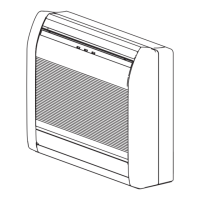
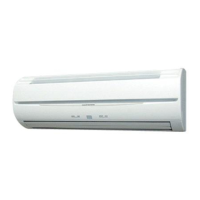
This document describes the Fujitsu INVERTER Air Conditioner, specifically the floor-standing type. It serves as an operation manual for users and includes details on its functions, technical specifications, usage, and maintenance.

Function Description

The Fujitsu INVERTER Air Conditioner is designed for efficient and comfortable climate control. Its core technology, INVERTER, allows for rapid achievement of the desired room temperature, followed by an automatic switch to a low-power setting for economic and comfortable operation.

ECONOMY OPERATION is a mode that saves energy by maintaining the room temperature slightly higher than the set temperature in cooling mode and slightly lower in heating mode compared to normal operation.

The SWING OPERATION feature automatically moves the Airflow Direction Louvers up and down, ensuring that air is distributed to every corner of the room.

For quieter operation, the SUPER QUIET OPERATION reduces the indoor unit's airflow. This mode, however, is not available during Dry mode and may slightly reduce heating and cooling performance.

AUTO CHANGEOVER automatically switches between cooling, dry, and heating modes to maintain a constant set temperature.

The 10°C HEAT OPERATION function allows the room temperature to be maintained at 10°C, preventing it from falling too low.

The PROGRAM TIMER offers integrated OFF and ON timer operations within a 24-hour period, allowing for a single transition from OFF to ON or ON to OFF.

The SLEEP TIMER automatically adjusts the thermostat setting during sleep to prevent excessive warming or cooling. In heating mode, the thermostat setting is gradually lowered, while in cooling or dry mode, it is gradually raised. The unit automatically turns off once the set time has elapsed.

For clean air, the unit features a REMOVABLE INTAKE GRILLE for easy cleaning and maintenance. It also includes a MILDEW-RESISTANT FILTER treated to resist mildew growth. The POLYPHENOL CATECHIN AIR CLEANING FILTER uses static electricity to capture fine particles like tobacco smoke and pollen, and contains catechin to suppress bacterial growth. Additionally, a NEGATIVE AIR IONS DEODORIZING FILTER with pottery super micro particles produces negative air ions to deodorize and absorb peculiar smells.

Important Technical Specifications

The thermostat setting ranges are:

  • AUTO: 18-30 °C
  • Cooling/Dry: 18-30 °C
  • Heating: 16-30 °C

The remote controller has an operating range of approximately 7 meters. Batteries for the wireless remote controller are AAA R03/LR03 x 2 and typically last about 1 year under normal use.

The air cleaning filters (POLYPHENOL CATECHIN AIR CLEANING FILTER: UTR-FC03-2) are disposable and should be exchanged approximately every 3 months. The negative air ions deodorizing filter (UTR-FC03-3) should be exchanged approximately every 3 years to maintain its deodorizing effect, and cleaned every 3 months.

In multi-type air conditioner setups, if multiple indoor units are operated simultaneously, heating and cooling efficiency may be reduced compared to single-unit operation. The operating mode of the outdoor unit is determined by the indoor unit that was operated first.

Usage Features

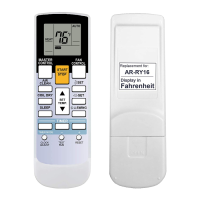
The air conditioner is controlled via a wireless remote controller, with an optional wired remote controller available. The remote controller allows selection of various modes (AUTO, COOL, DRY, HEAT, FAN), adjustment of thermostat settings, fan speed (AUTO, HIGH, MED, LOW, QUIET), and activation of SWING, 10°C HEAT, ECONOMY, PROGRAM TIMER, and SLEEP TIMER functions.

Manual Auto Operation is available on the main unit control panel for use when the remote controller is unavailable. Pressing the MANUAL AUTO button for 3 to 10 seconds will start operation in AUTO mode with a standard thermostat setting of 24°C and AUTO fan speed.

Adjusting Air Circulation: Vertical airflow direction is adjusted using the SET button on the remote controller, with options for upward flow (Cooling/Dry) and horizontal flow (Heating). Horizontal (right-left) airflow direction is adjusted manually by moving the Airflow Direction Louvers.

Air Outlet Selection: The unit allows selection of air discharge from both upper and lower outlets or from the upper air outlet only, controlled by a switch behind the front grille. This function is available in cooling and heating operations.

Troubleshooting: The manual provides a comprehensive troubleshooting guide for common issues such as immediate non-operation, noise, smells, mist/steam emission, weak airflow, and discrepancies between unit operation and remote controller settings. It also outlines procedures for addressing power interruptions (AUTO Restart) and malfunctions.

Maintenance Features

Cleaning the Intake Grille: The intake grille can be removed by pulling it forward and unhooking the ropes. It can be cleaned with a vacuum cleaner or wiped with warm water and a soft cloth.

Cleaning the Air Filter: The air filter is accessed by opening the intake grille, pushing down its handle, and disconnecting two upper tabs. It can be cleaned with a vacuum cleaner or by washing it in a solution of mild detergent and warm water, then dried in a shaded place. Filters should be cleaned every 2 weeks under normal use.

Air Cleaning Filter Installation and Replacement: The air cleaning filters (Polyphenol Catechin and Negative Air Ions Deodorizing filters) are installed into the panel after removing the air filter. These filters are disposable and should be replaced periodically (every 3 months for Polyphenol Catechin, every 3 years for Negative Air Ions Deodorizing).

Maintenance of Deodorizing Filters: To maintain deodorizing effect, these filters should be cleaned every 3 months by flushing with high-pressure hot water or diluent neutral detergent, rinsed, and dried in shade.

Filter Indicator Reset: A special setting allows for an indicator lamp to light up when it's time to clean the air filters. After cleaning, the indicator can be reset by pressing the MANUAL AUTO button for 2 seconds or less.

General Care: Before cleaning, the unit must be turned off. The intake grille must be securely installed. Avoid touching the heat exchanger when removing/replacing the air filter. Regular preventive maintenance by accredited technical assistance is recommended. When cleaning the unit's body, avoid water hotter than 40°C, harsh abrasive cleansers, volatile agents, liquid insecticides, or hairsprays. If shutting down the unit for a month or more, operate in fan mode for about half a day to dry internal parts thoroughly.

Fujitsu Inverter Specifications

General IconGeneral
BrandFujitsu
ModelInverter
CategoryAir Conditioner
LanguageEnglish

Related product manuals