3
N7100 CONSUMABLE REPLACEMENT AND CLEANING INSTRUCTIONS
CHECKING THE LIFE OF THE CONSUMABLES
1. On the [Main Menu] or [Job Menu] window, press
the [Consumable Alert] button.
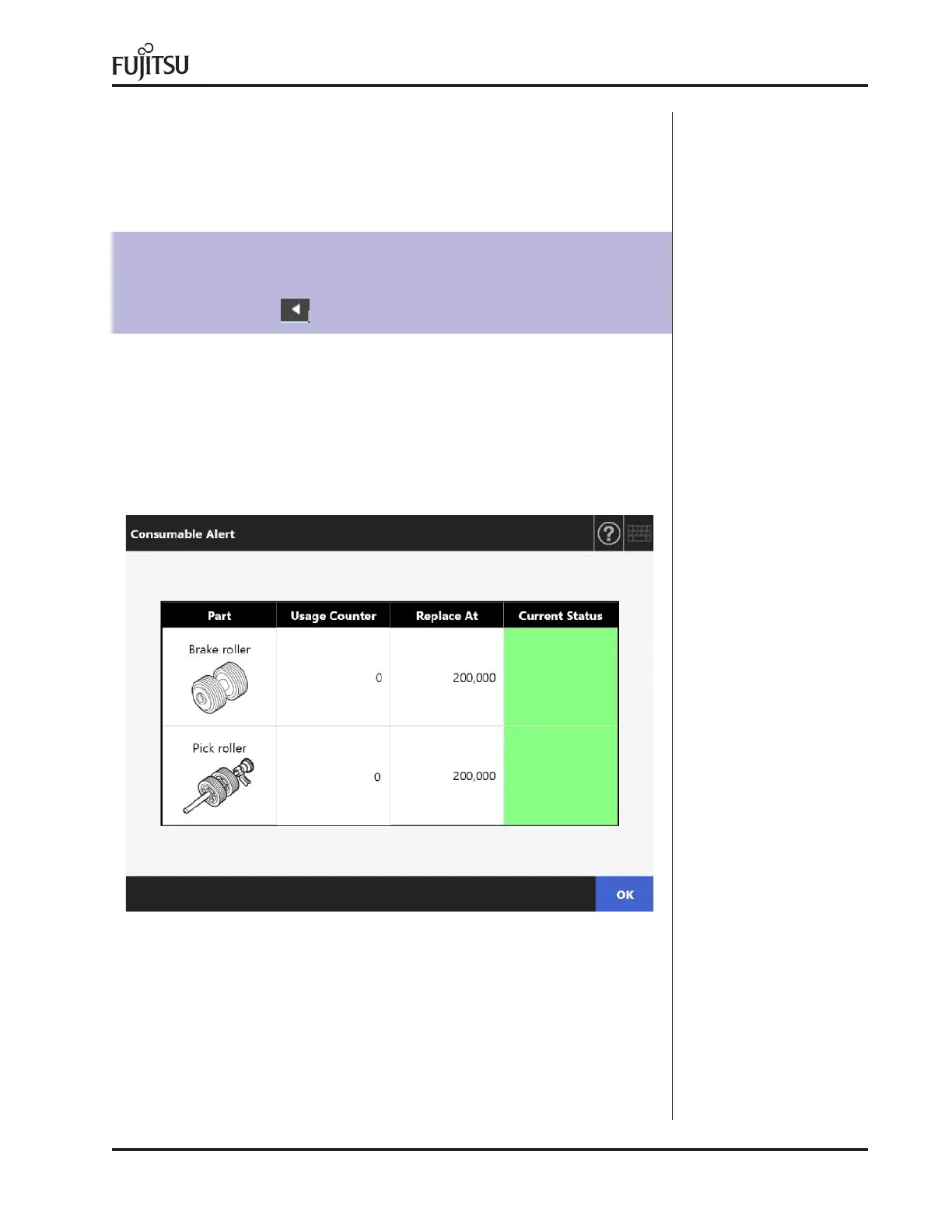
The [Consumable Alert] window appears.
2. Check which part needs to be replaced and press
the [OK] button.
Parts whose [Usage Counter] value is bigger than the
[Replace at] value should be replaced.
The value of [Usage Counter] is the exact number of
scanned sheets.
3. Replace the part.
Refer to the following:
Replacing the Roller Set.
HINT
The [Consumables Alert] button on the [Job Menu] window can be shown
by pressing



 To Next Page
 Loading...