N7100 CONSUMABLE REPLACEMENT AND CLEANING INSTRUCTIONS
4
REPLACING THE ROLLER SET
The Roller Set is made up of the
brake roller and the pick roller. The
procedure for replacing each roller
is as follows.
1. Turn off the scanner power and wait
for at least 15 minutes.
2. Unplug the power cable from the AC outlet.
3. Remove any documents from the ADF paper chute.
4. Pull the cover release catch toward you, place
your hands at both sides of the LCD cover, and
open the LCD cover.
5. Replace the brake roller.
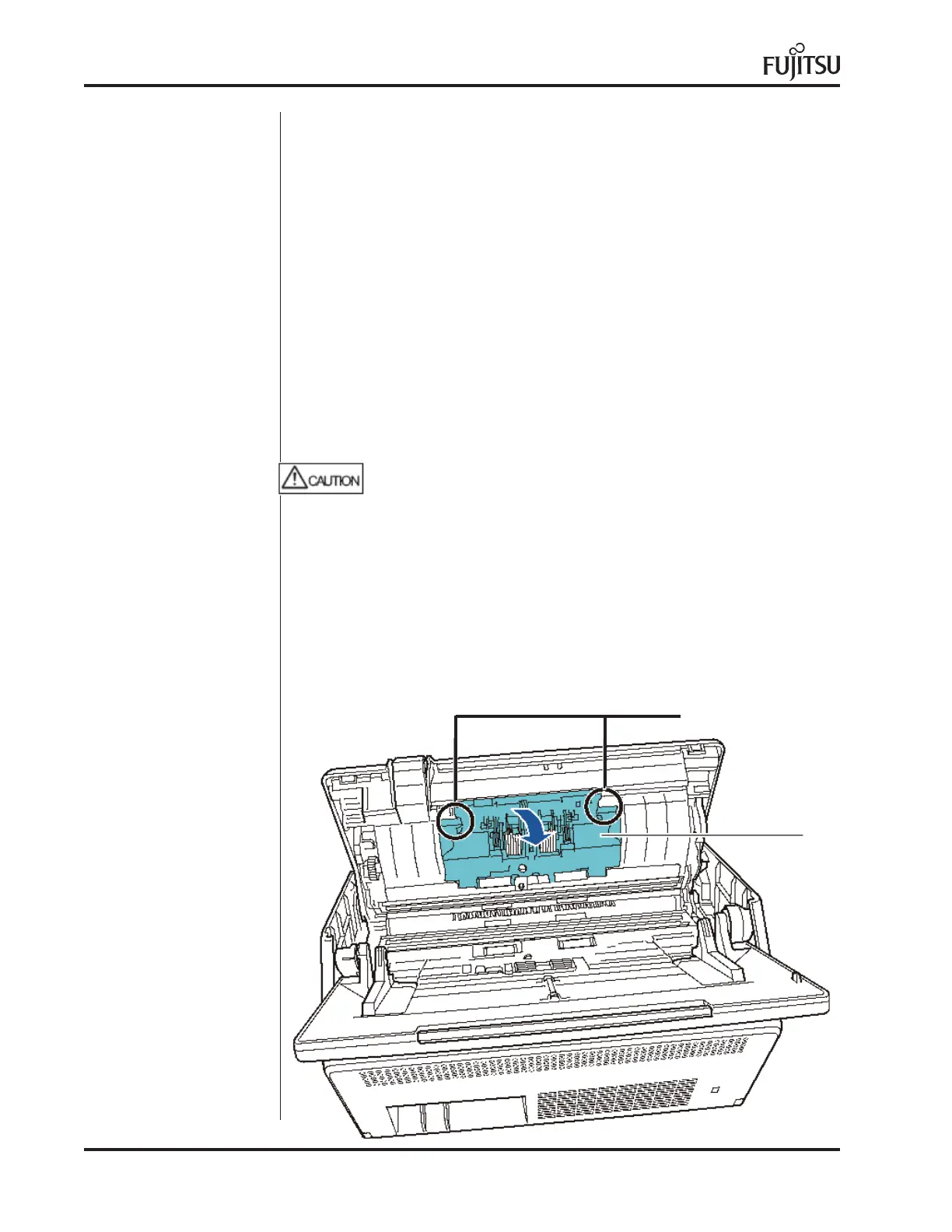
1. Open the cover of the brake roller.
Be careful that the LCD cover does not shut on your fingers.
Cover
Hold both ends of the cover of the brake roller, and open it in the direction of the arrow.



 To Next Page
 Loading...