5
N7100 CONSUMABLE REPLACEMENT AND CLEANING INSTRUCTIONS
REPLACING THE ROLLER SET (CONT.)
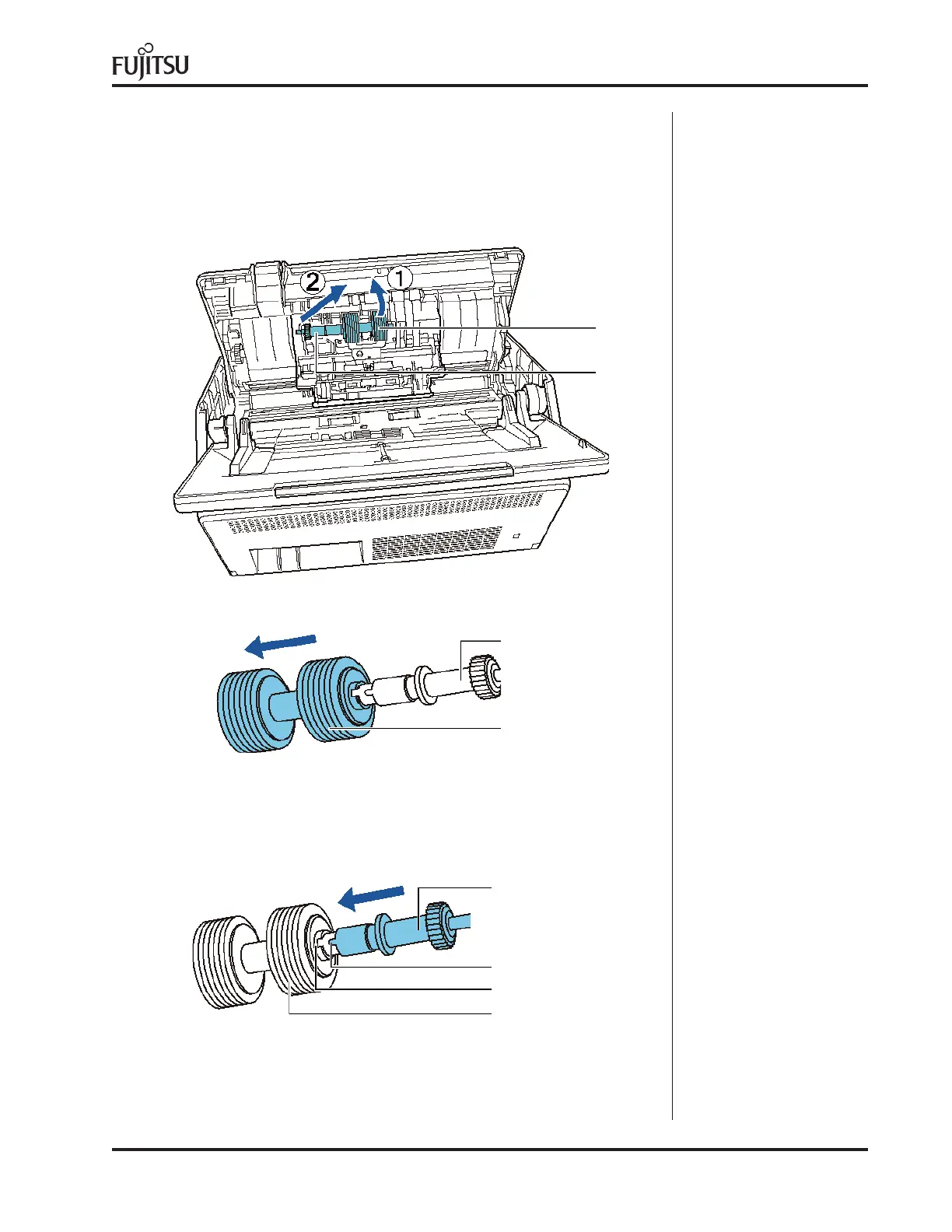
2. Remove the shaft.
Lift the right side of the roller first, then pull out the shaft from the
slot on the left.
Brake Roller
Shaft
3. Remove the brake roller from its shaft
Shaft
Brake Roller
4. Attach a new brake roller on the shaft.
Insert the protrusion on the shaft into the slot.
Shaft
Protrusion
Slot
Brake Roller



 To Next Page
 Loading...