CONTENTS
INTRODUCTION
1 NAMES AND FUNCTIONS OF PARTS
2 BASIC SCANNER OPERATIONS
2.1 Turning the scanner ON
2.2 Loading Documents on the ADF for
Scanning
2.3 Scanning Documents
2.4 How to Use the Scanner Driver
3 SCANNING VARIOUS TYPES OF
DOCUMENTS
4 DAILY CARE
5 REPLACING CONSUMABLES
6 TROUBLESHOOTING
7 DOCUMENT SPECIFICATIONS FOR ADF
8 OPTIONS
9 SCANNER SPECIFICATIONS
Appendix
2.4 How to Use the Scanner Driver(2)
1
2
3 4 5 6 7 8 9 10
HINT
ScandAll 21 provide scanning methods as follows:
● [To View...]: Displays scanned images on the window.
● [To File...:]: Saves scanned images as files (*.BMP, *.TIF, *.JPG).
● [To FTP...:]: Transfers scanned images to a FTP server.
● [To Adobe PDF...:]: Saves scanned images as PDF files.
(*Adobe Acrobat must be installed beforehand.)
● [To Microsoft Share Point Portal Server...]: Transfers scanned images to
Microsoft Share Point Portal Server.
● [To Mail...]: Launches mailer software and attaches scanned images to e-mail.
For details, refer to "ScandAll 21 Help".
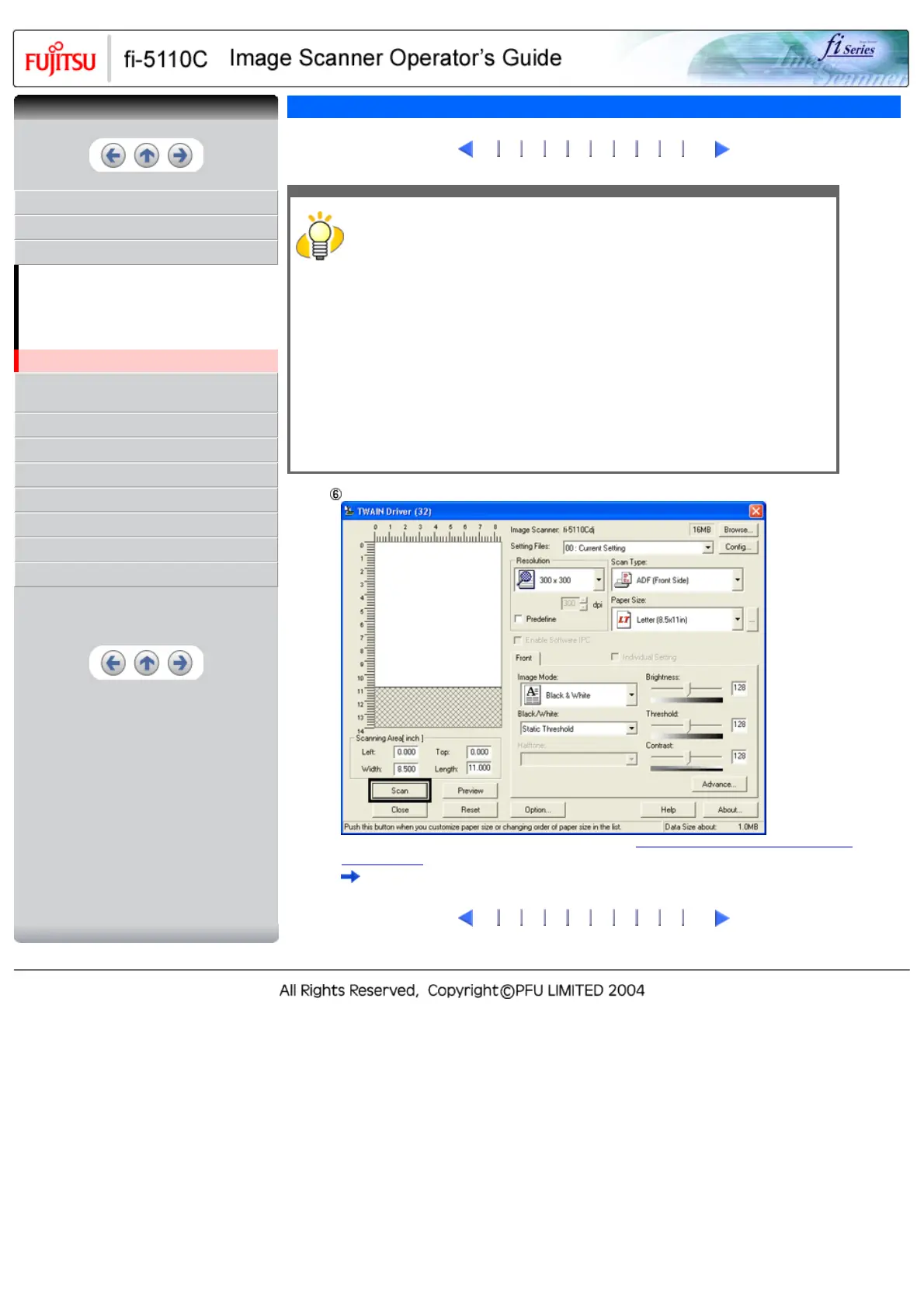
Configure settings for scanning and click the [Scan] button.
For details about the settings on this window, refer to "
Setting Window for FUJITSU TWAIN32
Scanner Driver".
The images of scanned documents are displayed on the [ScandAll 21] window.
1
2
3 4 5 6 7 8 9 10
CONTENTS



 To Next Page
 Loading...










