CONTENTS
INTRODUCTION
1 NAMES AND FUNCTIONS OF PARTS
2 BASIC SCANNER OPERATIONS
2.1 Turning the scanner ON
2.2 Loading Documents on the ADF for
Scanning
2.3 Scanning Documents
2.4 How to Use the Scanner Driver
3 SCANNING VARIOUS TYPES OF
DOCUMENTS
4 DAILY CARE
5 REPLACING CONSUMABLES
6 TROUBLESHOOTING
7 DOCUMENT SPECIFICATIONS FOR ADF
8 OPTIONS
9 SCANNER SPECIFICATIONS
Appendix
2.4 How to Use the Scanner Driver(7)
1
2 3 4 5 6
7
8 9 10
[Option...] button
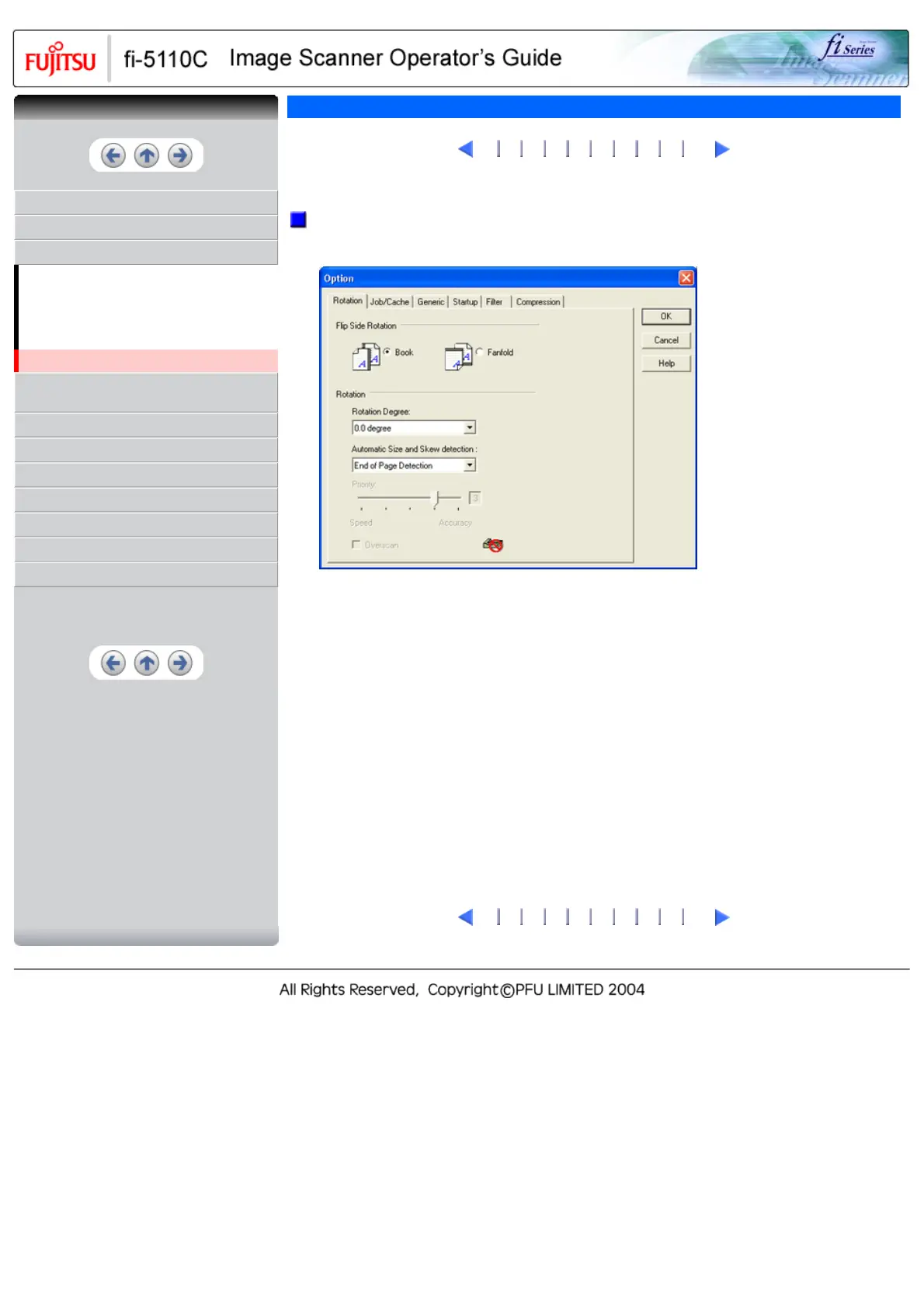
You can set up the details of optional functions on the window below.
[Rotation] tab
Select this tab when setting image rotation, detection of document size, etc.
[Job/Cache] tab
Select this tab when setting cache mode, multi feed detection, blank page skipping, etc.
[Generic] tab
Select this tab to change the unit displayed on the Setting Window for the FUJITSU TWAIN32
Scanner Driver. (Millimeters, Inches, and Pixels are available)
[Startup] tab
Select this tab for setting the Scanner Operation Panel.
[Filter] tab
Select this tab for setting the image processing filter(s).
Page Edge Filler: Fills up the margins of the scanned documents with a selected color.
Digital Endoser: A character string, such as the alphabet and numbers, can be added in the scanned
document.
[Compression] tab
Select this tab for setting the compression rate of JPEG Transfer.
1
2 3 4 5 6
7
8 9 10
CONTENTS



 To Next Page
 Loading...










