EasyManua.ls Logo

Fujitsu UTY-VBGX - 7.3 LEDs status and push buttons

Fujitsu UTY-VBGX
159 pages
Print Icon
To Next Page IconTo Next Page
To Previous Page IconTo Previous Page
Loading...
BACnet Gateway for VRF System INSTRUCTION MANUAL r1.4.0 eng
143/159
Copyright© 2021 Fujitsu General Limited - All rights reserved
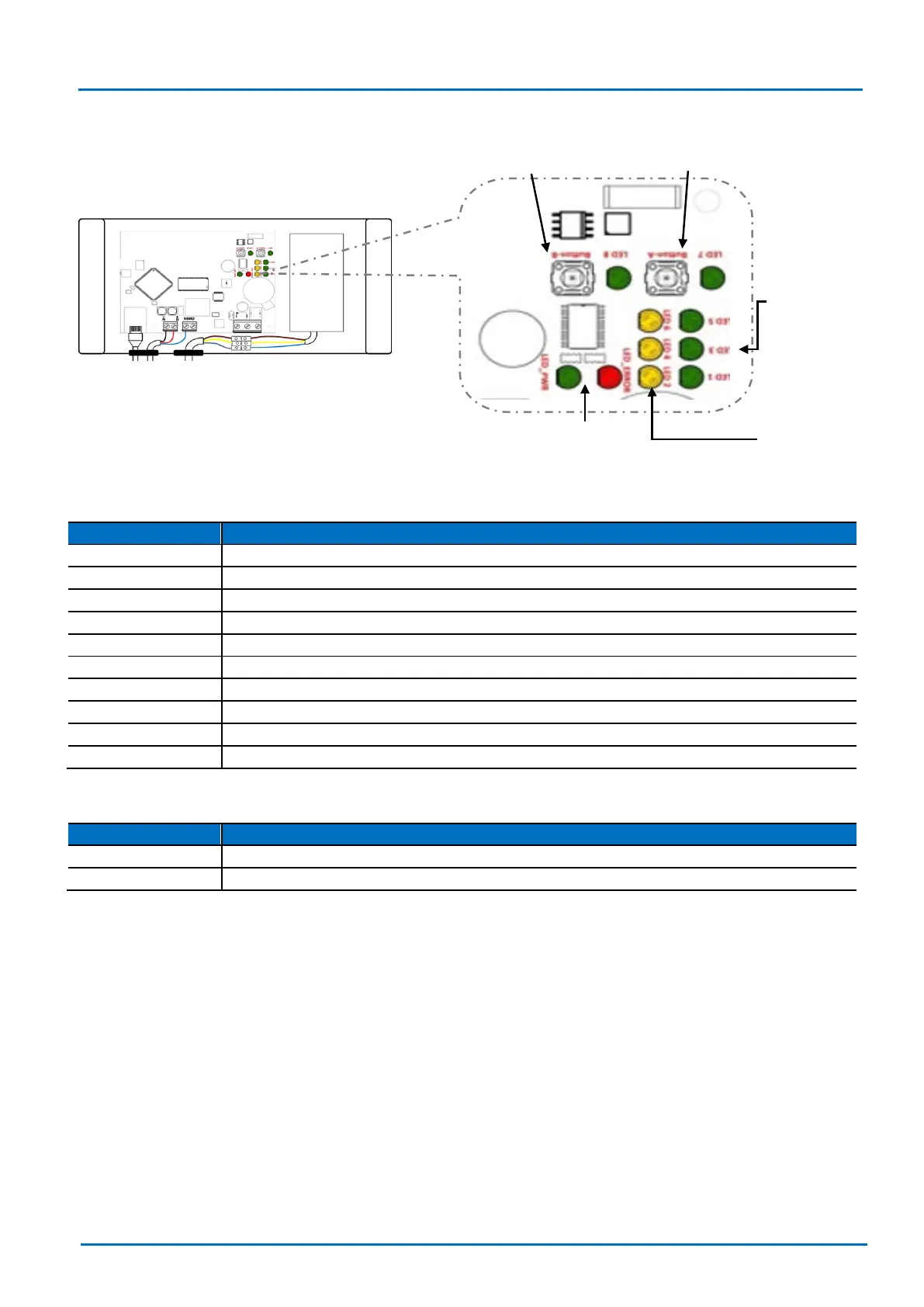
7.3 LEDs status and push buttons
LED
Description
LED_ERR (red)
Gateway error state indication. If active, contact your supplier.
LED_PWR (green)
Power-on. HW-controlled / non-FW.
LED_1 (green)
Ethernet LNK led. Same as Ethernet green led.
LED_2 (yellow)
Ethernet ACT led. Same as Ethernet yellow led.
LED_3 (green)
Fujitsu bus TX activity.
LED_4 (yellow)
Fujitsu bus RX activity.
LED_5 (green)
BACnet TX LED.
LED_6 (yellow)
BACnet RX LED.
LED_7 (green)
Service led of LON port.
LED_8 (green)
Device has IP address (after DHCP or manually assigned).
Button
Description
PUSH_A
Sends I-Am msg on bacnet-ip side.
PUSH_B
Service pin of LON port.
LED_PWR (Green)
LED_ERR (Red)
LED_2 (Yellow)
LED_4 (Yellow)
LED_6 (Yellow)
Button - B
Button - A
LED_1 (Green)
LED_3 (Green)
LED_5 (Green)
LED_7 (Green)

LED_8 (Green)

Table of Contents

Related product manuals