The Special Features function can be used to select the following
special oven features:
1. SAB SABBATHMODE
(for religious faiths with “no work” requirements on the
Sabbath).
2. OFS OVEN OFFSET
(used to calibrate the oven temperature).
3. DEG °UNIT
(used to select Farhenheit or Celsius for the display).
4. HR CLOCKFORMAT
(used to set the time of day format as 12:00 AM /PM or
24:00. 12 hour format is default ).
5. SET PRESETTEMPERATURE
(it’s possible to save the standard preset temperature per
every cooking mode or to keep in memory the last used
temperature).
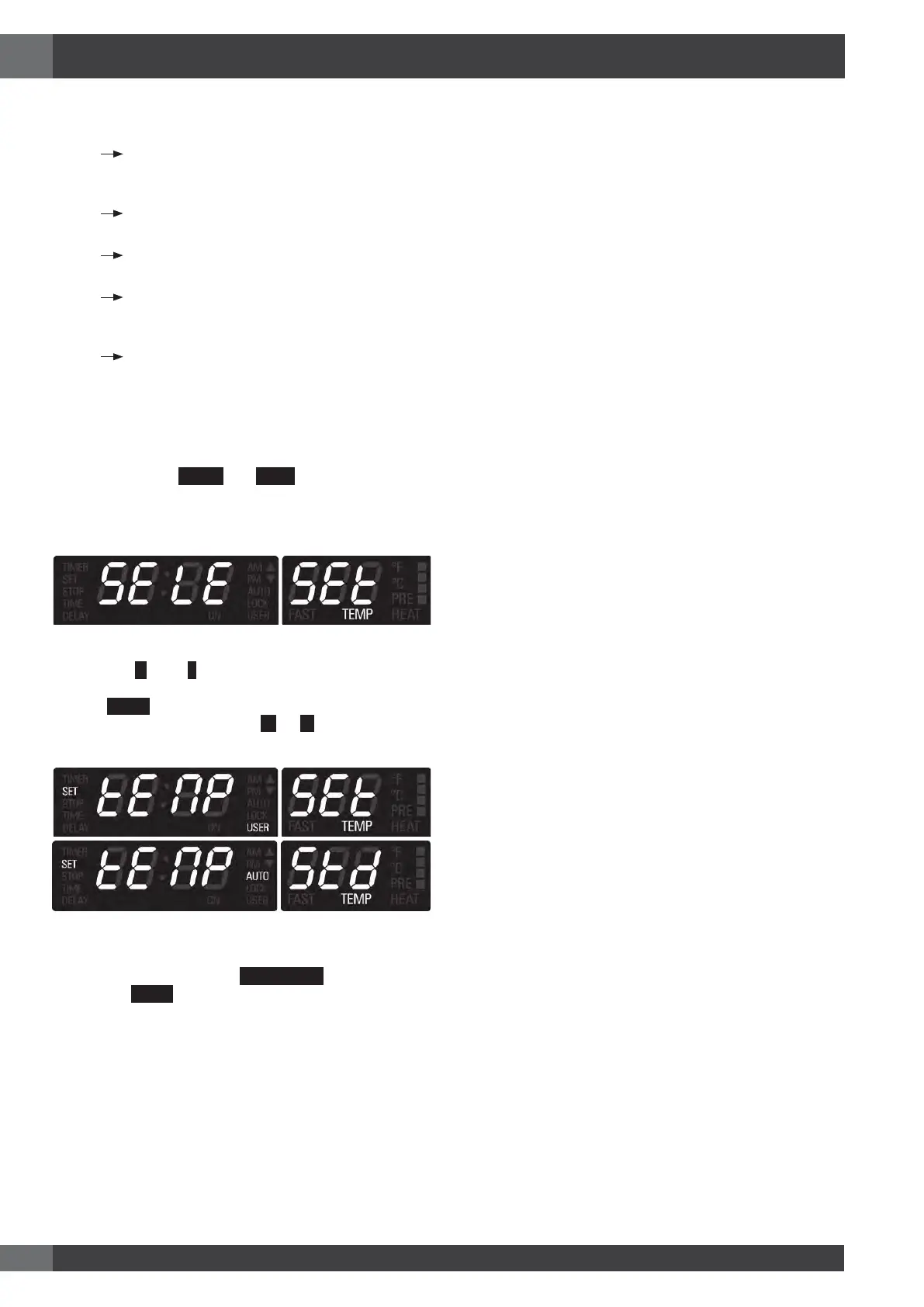
Toselectspecialfeatures, followthestepsbelow:
• Touch and hold
MENU
and
TIME
keys for at least 3
seconds. Clock time disappears and the following display
is shown:
• Touch the
+
or the
-
key to scroll all available options
described above, until the desired one is found.
• Touch
MENU
key to edit the selected options.
• Change the value by means of
+
or
-
keys.
• In a double oven it’s possible to set a different offset in each
cavity. Select the cavity with
SMALL/LARGE
key.
• Touch the
MENU
key to confirm the option and go back to
the selection menu.
19 - Special Features
EN




 To Next Page