Questions? Please Contact Your Local Manufacturer’s Representative
3-9
SECTION 3 EDR-SOLA-IOM-2022-0216 OPERATION
SOLA Hydronic Controller - General Operation
The screen shots and information in this section will help you navigate through
display parameters that would be used for initial startup.
Status Summary Screen
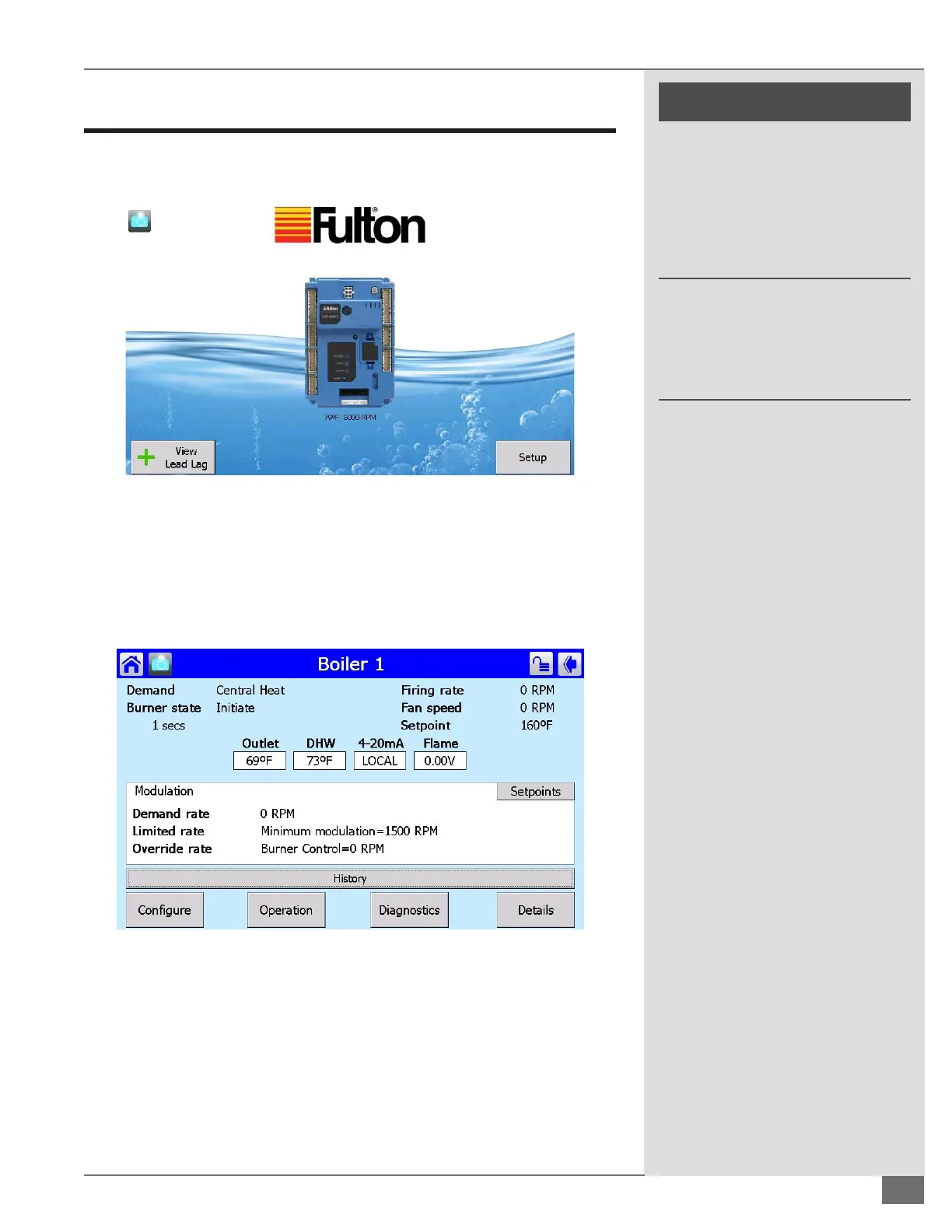
From this screen you will be able to access any of the parameters (Figure 31) by
tapping on the controller in Figure 30. You can see if the unit Demand is on and
the status of the boiler from Burner State. The ring rate will show you the RPM
ring rate output. Also you can see the setpoint desired.
Central Heat Operation Screen
Access this screen (Figure 32) by pressing the Operation button from the Status
Summary Screen. From the Central Heat Operation screen you will be able to
change the boilers Setpoint by pressing the yellow box next to Normal. If the
ring rate needs to be changed from auto to manual for maintenance and/
or commissioning purposes (to be able to run the boiler anywhere in the ring
range) you would press the yellow block next to Firing Rate. Pressing Firing Rate
FIGURE 30 THE SOLA CONTROLLER HOME SCREEN
FIGURE 31 STATUS SUMMARY SCREEN
! WARNING
All information in this manual is for
reference and guidance purposes,
and does not substitute for required
professional training, conduct,
and strict adherence to applicable
jurisdictional/professional codes and
regulations.
Non-Fulton product information is for
reference purposes only. No Fulton
document should substitute for full
review of documentation available
from the component manufacturer.





 To Next Page