Questions? Please Contact Your Local Manufacturer’s Representative
3-29
SECTION 3 EDR-SOLA-IOM-2022-0216 OPERATION
! WARNING
All information in this manual is for
reference and guidance purposes,
and does not substitute for required
professional training, conduct,
and strict adherence to applicable
jurisdictional/professional codes and
regulations.
Non-Fulton product information is for
reference purposes only. No Fulton
document may substitute for full
review of documentation available
from the component manufacturer.
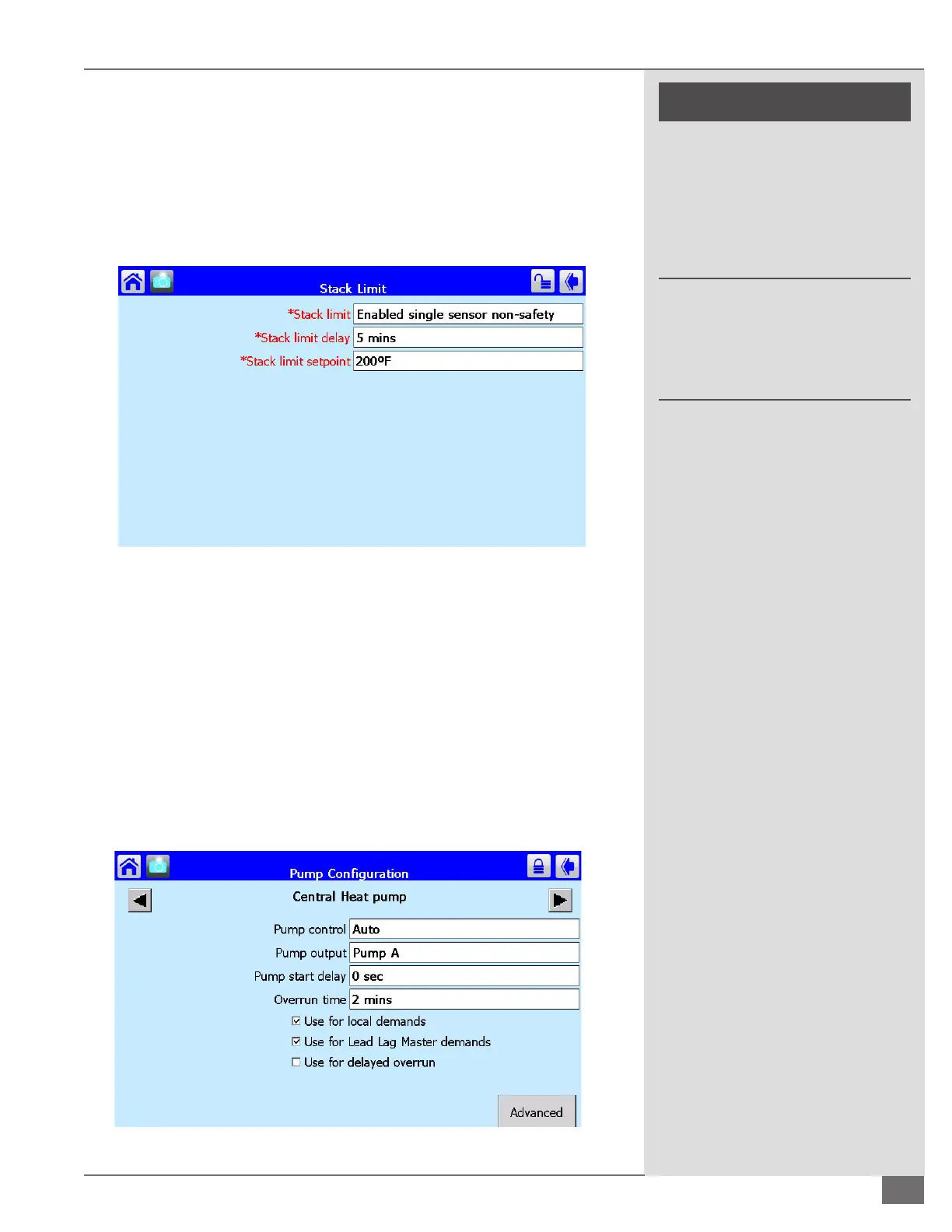
Stack Limit
The exhaust stack temperature is displayed on the SOLA status screen. A stack
limit setpoint can also be established through the SOLA control. From the
conguration screen scroll to and select Stack limit. Enable the stack limit feature.
This must be done for each boiler in the boiler plant. Refer to Figure 62 for factory
default settings: Stack limit must not exceed exhaust material temperature
limitations. See Table 7.
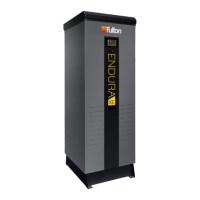
Dedicated Boiler Pump
From the boiler status screen select congure. Scroll to and select pump
conguration. Any available pump output, A through C, may be utilized to
control the boiler pump. Select the appropriate pump output and assign the
pump control to Auto. Check only the box labeled “Use for Lead Lag Master
Demands” for a lead/lag boiler plant and only “Use for Local Demands” for a
standalone boiler. Refer to Figure 69 for factory default settings:
Pump Start Delay: The pump will remain o for this set time upon call for
heat.
Overrun Time: The pump will remain running for this set time after the
boiler no longer has a call for heat.
FIGURE 69 BOILER PUMP CONFIGURATION
FIGURE 68 STACK LIMIT





 To Next Page