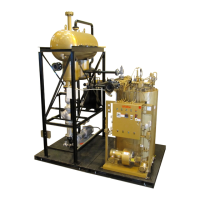
FT-C Vertical Electric Thermal Fluid Heater Manual 12 2013 ISSUE 1
1) Upon releasing the heater to main run modulation, the heater will drive to low re.
2) It is necessary to set/check combustion through the entire range of modulation rst to enable
high re to be reached. Once high re is achieved, the incoming gas pressure can be set (if
required). Fine-tuning of the servo setting throughout the range should be performed only once
high re settings are conrmed.
3) If the burner loses ame while driving to a point then:
» Turn the main ON/OFF switch to OFF.
» Reset the loss of ame fault.
» Press Escape on the AZL once.
» Press Enter on the AZL to reset the control. The red light on the panel box door should go out.
Adjust the air and gas servos for that point while the burner is off.
» Follow steps below.
» Turn the main ON/OFF switch to ON.
4) Under Params&Display >RatioControl >GasSettings >ProgramStop, change the program stop
to deactivated by using the arrow keys. Conrm that ‘deactivated’ is acknowledged in the
current eld.
5) This change will allow the burner to modulate. The burner will now drive to low re. Remember,
it is only important at this stage to set low re to be stable and with clean combustion. Exact
setting is to be performed once high re is conrmed.
6) Press Escape 5 times to get back to the main menu.
7) You can observe the status of the burner by going to OperationalStat/NormalOperation.
8) Verify the ame signal on the display, measure input if gas meter is available. If not, match last
elbow pressures and combustion for test re sheet. Adjust the burner as needed.
As soon as a servo position is altered, the servo will move to that position. Only change servo settings by
a maximum of 0.5° at a time before verifying combustion.
1) Go to Params&Display >RatioControl >GasSettings>CurveParams.
2) Wait for the spinning line on the left to disappear. Press Enter. The number 1 should appear to
the right of the cursor, this is the Point Number.
3) Press Enter once. Select ChangePoint by pressing the arrow keys to highlight and then press
Enter to select. This will cause the servo motors to move to this low re point.
4) Check combustion and adjust the servo motors as required. To adjust a servo motor, arrow
to it and press Enter. Then adjust the setting as required and press Enter. You can now adjust
another servo motor if needed.
5) When combustion is properly set for that point, press Escape. If it asks you to store the point,
press Enter. Note the AZL will only ask to save if either servo value has been altered.
6) Low re is now set and stored.



 To Next Page