© The Fulton Companies 2016
OPERATION VTG-IOM-2016-1214 SECTION 3
3-6
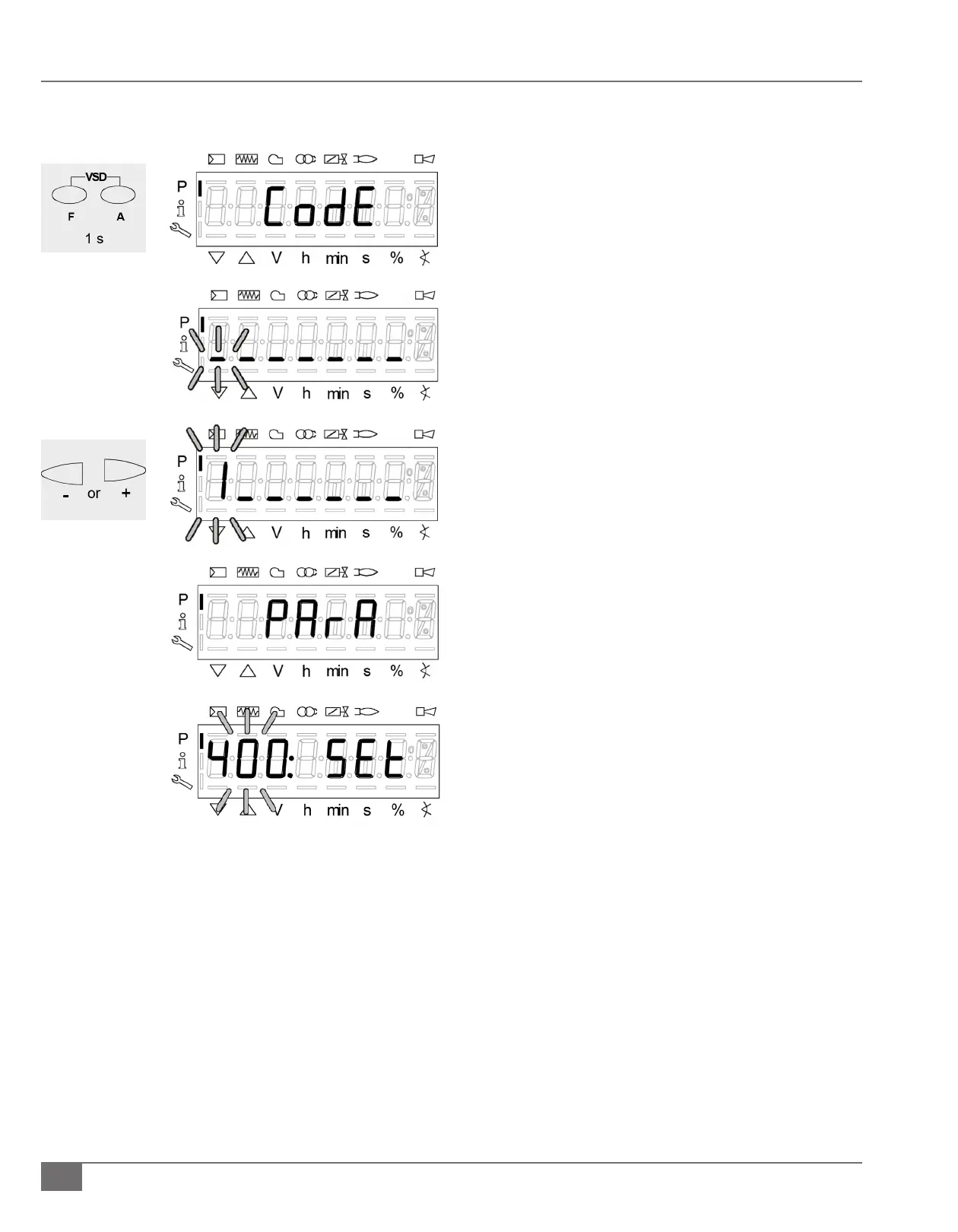
1) Press and hold the “F” and “A” buttons simultaneously.
a. “Code” will be displayed.
2) When releasing “F” and “A”, 7 bars appear the rst of which
ashes.
3) Press the “-“ or “+” button to select the rst number of the
national board number and press enter (i/reset) button
after each selected number.
a. Note – The boiler National Board number is the
4 digit service level password.
4) After entry of the last number, the password must be
conrmed by pressing enter (i/reset) button.
5) After correct entry of password, PArA appears for a
maximum of 2 seconds.
6) Parameter 400 will ash.
a. Use the “-“or “+” button for scrolling to the desired
parameter.
b. Press the enter (i/reset) button to enter the selected
parameter level.
Adjusting Fuel/Air Curve (Natural Gas or Propane or Modulating #2 Fuel Oil)
NOTE: Fulton Vantage boilers are factory test red and pre-programmed with values in the fuel/air curve (P0- ignition to P9-high
re).
NOTE: Modulating #2 Fuel Oil applies to models VTG-5000DF/VTG-6000DF only.
With the burner on follow the below steps for making eld changes to the fuel/air curve points. A calibrated ue gas analyzer is
required to complete these steps and must be properly inserted into the boiler ue exhaust vent while making changes to the
fuel/air curve points.
Steps to Enter Parameters







 To Next Page