Unplayable Media and Files
The following discs will not be played back on this unit.
Region Codes
Hint for Disc Playback
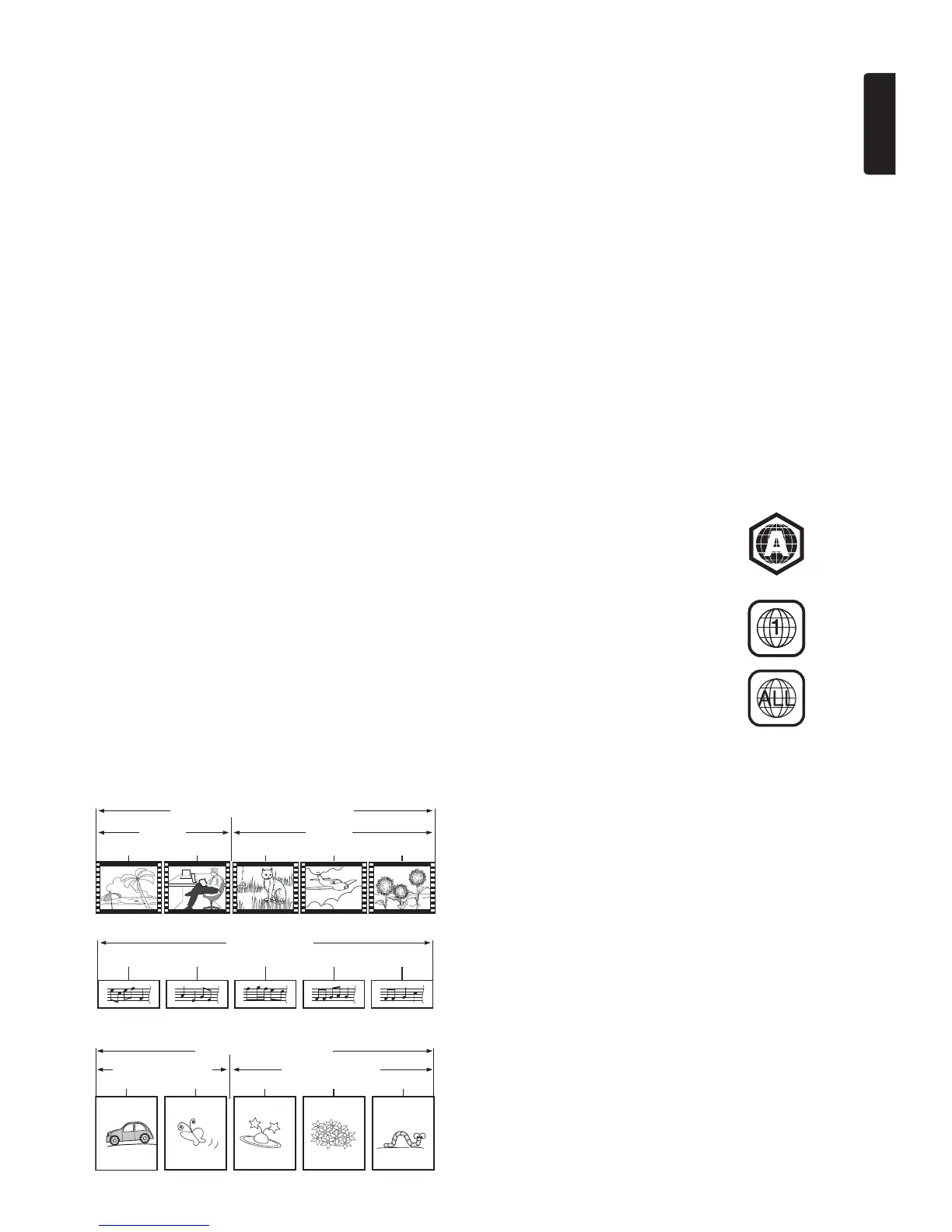
The contents of a disc are generally divided into sections or folders (group of titles / files) as shown below.
•CD-ROM •CD-I (compact disc-interactive)
• DVD-RAM • VSD (video single disc)
• DVD-audio • video CD
• HD DVD • SVCD
• SDXC Memory Card • microSDXC Memory Card
• unfinalized disc • BD-RE (ver. 1.0)
• BD-RE (ver. 2.1) (Recorded in BDAV format) • BD-R (ver. 1.1 / 1.2 / 1.3) (Recorded in BDAV format)
•BDXL™
• Blu-ray Disc™ / DVD / CD / USB Memory Stick / SD Memory Card containing DivX
®
files
• Blu-ray Disc™ / USB Memory Stick that contains AVCHD files
• Blu-ray Disc™ / DVD hybrid disc (played back as a BD-video only)
• DVD-RW/-R recorded in non compatible recording format
• Super Audio CD - Only the sound on the CD layer can be heard. The sound on the high-density Super Audio CD layer cannot be heard.
• Playability of dual discs is not guaranteed.
• This unit cannot play back the disc contents protected by Windows Media™ Digital Rights Management (DRM).
This unit has been designed to play back BD-video with region “A” and DVD-video with region
“1” or “ALL”. You cannot play back BD-video or DVD-video that is labeled for other regions.
Look for the symbols on your BD-video or DVD-video. If these region symbols do not appear on
your BD-video or DVD-video, you cannot play back the disc on this unit. The letter or number
inside the globe refers to region of the world. BD-video or DVD-video discs labeled for a specific
region can only be played back on players with the same region code.
BD-video
DVD-video
BD-video, DVD-video, AVCHD
Chapter 1 Chapter 2 Chapter 1 Chapter 2 Chapter 3
Track 1 Track 2 Track 3 Track 4 Track 5
Audio CD
Title 1 Title 2



 To Next Page