7
Connections
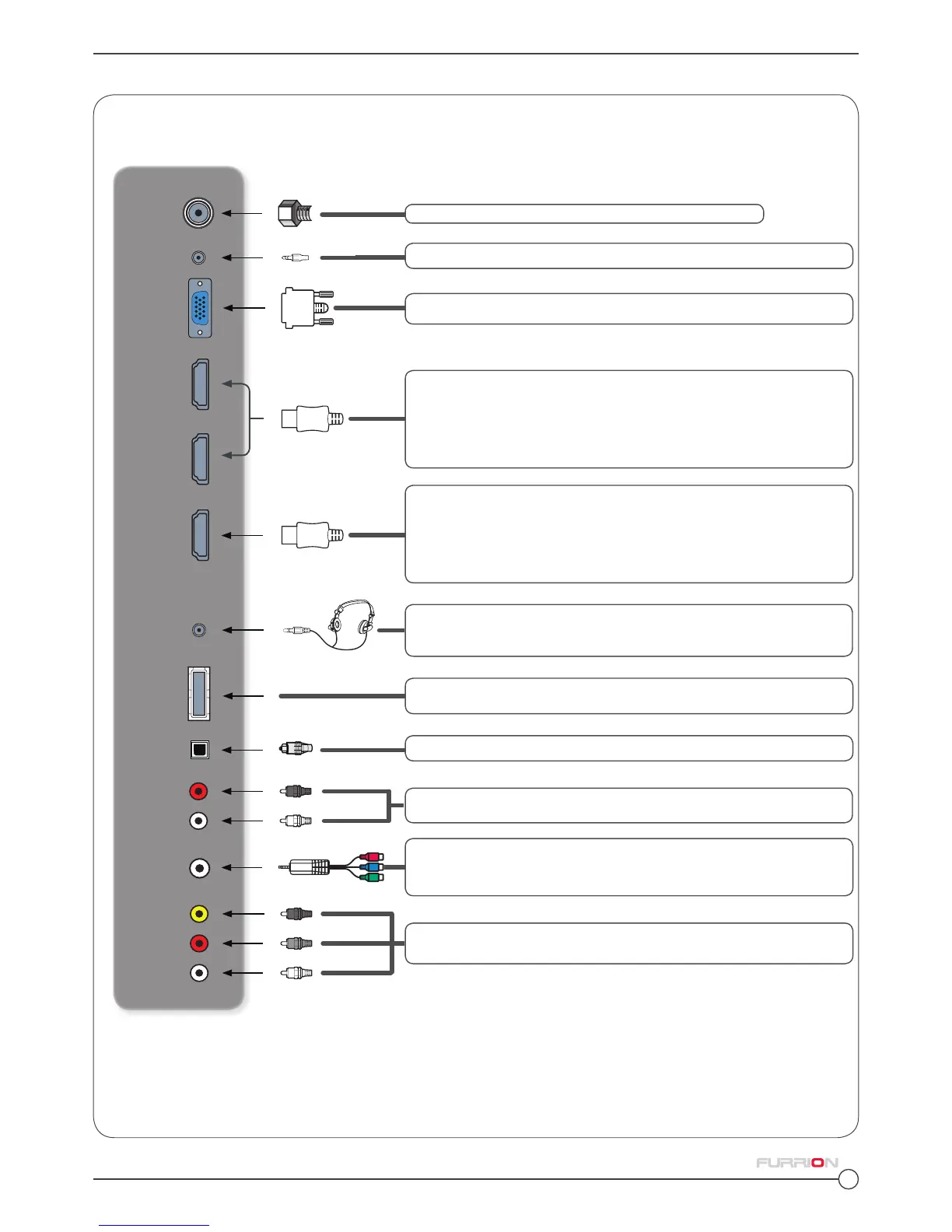
Connect other devices to the TV Set.
Your Furrion LED HD TV Set offers multiple connection options. Please consult the DVD player, Games Console or
other device manual to ensure proper connection and use.
*Please note that the configuration of the connection ports may vary from model to model.
EARPHONE
OUT
USB
HDMI 1 IN
HDMI 2 IN
HDMI 3 IN
ARC
VGA IN
RF IN
VIDEO
IN
AUDIO
IN
R
L
Connects to the HDMI OUT port of a DVD Player, Games Console,
Cable Box or other HDMI device.
CEC Consumer Electronics Control
When connected to compatible Furrion Entertainment Systems, (or
other CEC Compatible devices), the TV links with the system to give
extra functionality. Please see page13
Connects to the HDMI OUT port of a DVD Player, Games Console,-
Cable Box or other HDMI device.
ARC Audio Return Channel
When connected with a HDMI 1.4 cable to an ARC compatible au-
dio system, the TV links with the device to give extra audio function-
ality. Please see page13
Connects to the VGA OUT port of a PC to use the TV as a
monitor.
Connects to the COMPOSITE VIDEO/ AUDIO OUT ports of a DVD
Player, Cable Box or other compatible device.
USB Port. View pictures and listen to MP3s via a compatible USB
stick.
Connects to the ANTENNA, CABLE, or CABLE BOX.
Use inclusive 3.5 mm Jack to RCA adapter to connect to the COM-
PONENT VIDEO OUT ports of a DVD player, Cable Box or other
compatible device.
AUDIO
OUT
COMPONENT
VIDEO IN
R
L
Connects to the AUDIO IN ports of an audio device.
Connects to a 3 conductor (TRS) earphone connector. Compatibility
of earphones with a 4 conductor (TRRS) connector is not guaran-
teed.
PC AUDIO
IN
OPTICAL
AUDIO
OUT
Connects to the AUDIO OUT port of a PC.
Connects to the OPTICAL AUDIO IN port of an audio device.



 To Next Page