9
Controls
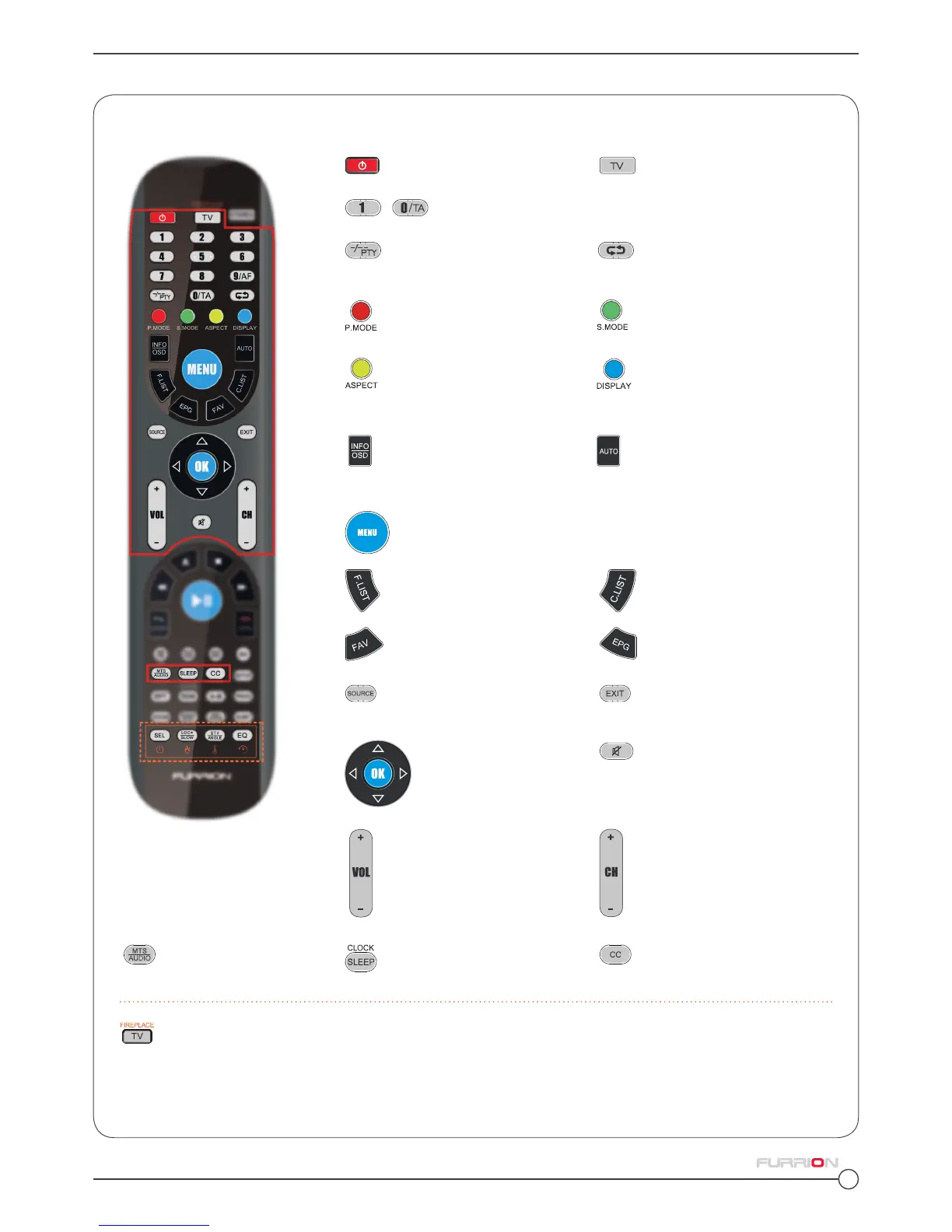
Unimote Remote Control.
The Furrion Unismart
TM
remote control’s functions.
POWER Turns the TV On & Off
TV Switches to TV mode
- Numerical Buttons Enters numbers and selects channels
Toggles between the
current and previous channel
Toggles between single &
double digit input
Sound Mode Cycles through
sound modes
Picture Mode Cycles
through picture modes
Aspect Ratio Cycles through
available display aspect
ratios
Display Toggles on screen
on the selected source On &
Off
EPG Displays the program
guide
FAV Adds items to the
favorites list
Source Cycles through input
sources
Exit Exits the current menu
Menu Enters the main
menu
Volume I ncreases/ decreases
volume
Channel Channel Up/Down
Auto Automatically adjusts
the picture in PC mode
INFO/OSD Displays informa-
tion on the selected TV
channel
MTS/ AUDIO Cycles
through MTS sound modes
SLEEP Sets the sleep
timer
CC Closed Caption Tog-
gles Closed Captions On & Off
F.List Displays the favorites
list
C.List Displays the channel
list
Mute Toggles audio On or
Off
Navigation Buttons
OK Confirms selections
TV Selects Furrion Fireplace remote control functions
Please refer to your Furrion Fireplace manual for more information



 To Next Page