1-17
Connecting the Signal Cable
Only the signal cable runs from the display unit (1953C: power supply unit) to the antenna
unit. In order to minimize the chance of picking up electrical interference, avoid where
possible routing the signal cable near other onboard electrical equipment. Also, avoid
running the cable in parallel with power cables. Pass the cable through the hole and apply
sealing compound around the hole for waterproofing.
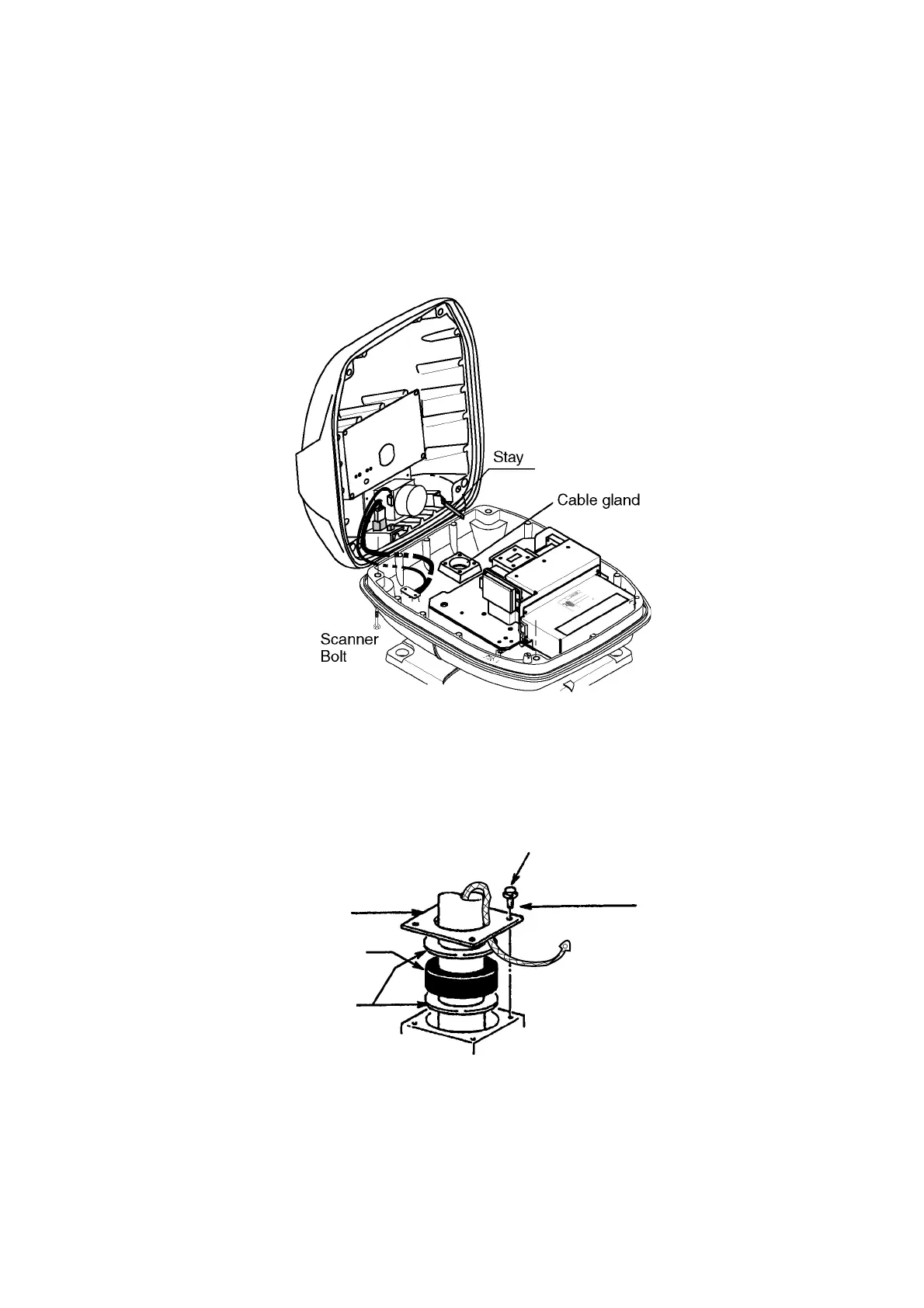
1. Open the antenna cover by loosening four scanner bolts, and then fix the stay.
Antenna unit chassis, cover opened
2. Unfasten the cable gland assembly (plate, gasket, flat washer).
3. Pass the signal cable w/connector through the bottom of the scanner unit chassis. Pass
the cable through the gland assembly as shown below.
Plate
Bolt
4-M4X16
Gasket
Flat
washer
Passing the signal cable through the cable gland assembly
4. Fasten the crimp-on lug on the shield to one of the fixing bolts of the cable gland
assembly.
5. Position the signal cable so that no more than 4 cm of the sheath is exposed as shown
in the figure below. Tighten fixing bolts.



 To Next Page
 Loading...






