EasyManua.ls Logo

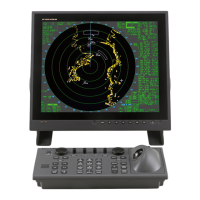
Furuno MARINE RADAR 1823C - User Manual

Furuno MARINE RADAR 1823C
260 pages
Print Icon
To Next Page IconTo Next Page
Loading...
MODEL 1823C MARINE RADAR
MODEL 1833C MARINE RADAR
MODEL 1933C MARINE RADAR
MODEL 1943C MARINE RADAR
MODEL 1953C MARINE RADAR
COLOR VIDEO PLOTTER GD-1900C

Table of Contents

Other manuals for Furuno MARINE RADAR 1823C

Questions and Answers

  • B
    Brent StewartSep 23, 2025
    What does 'No position data' mean on Furuno 1823C Marine Radar?
    • T
      Travis SchultzSep 23, 2025
      If your Furuno Marine Radar displays 'No position data', an error may have occurred on GP-310B/320B. Disconnect the GPS cable from the display unit, and then contact your dealer.
  • M
    Mallory PriceAug 25, 2025
    What to do if nothing appears on the Furuno 1823C Marine Radar display?
    • R
      richronaldAug 25, 2025
      If nothing appears on the Furuno Marine Radar display after pressing the [POWER/BRILL] key and the RADAR TX soft key, verify that the antenna cable is firmly fastened and that the radar source is correct.
  • M
    Mary WrightAug 25, 2025
    What to do if the picture is not updated or freezes on Furuno Marine Radar?
    • K
      kathrynhuangAug 26, 2025
      If the picture on your Furuno Marine Radar is not updating or it freezes, check the antenna cable. If the unit freezes up, try turning the display unit off and on again.
  • D
    Daniel CordovaAug 27, 2025
    What to do if the radar picture does not change when the range is changed on Furuno 1823C Marine Radar?
    • J
      Jennifer SilvaAug 27, 2025
      If the radar picture on your Furuno Marine Radar doesn't change when the range is adjusted, try hitting the [+] and [-] keys again. If that doesn't work, turn the display unit off and on again.
  • E
    Eric FoleySep 23, 2025
    What does 'No heading pulse detected' mean on Furuno 1823C?
    • A
      Angelica BowmanSep 23, 2025
      If your Furuno Marine Radar displays 'No heading pulse detected', check the heading sensor.
  • L
    Lisa PerezSep 13, 2025
    What to do if zero line does not appear when the picture appears on Furuno 1823C Marine Radar?
    • V
      Victor CameronSep 13, 2025
      If the zero line does not appear when the picture appears on your Furuno Marine Radar, the picture may be shifted. Confirm shift setting.
  • A
    Angelica ThompsonSep 12, 2025
    What to do if picture does not appear after selecting a sounder display with the DISP key on Furuno 1823C Marine Radar?
    • S
      Steven DavenportSep 12, 2025
      If the picture does not appear after selecting a sounder display with the DISP key on your Furuno Marine Radar, check that the network sounder’s signal cable is firmly fastened, that the sounder source is correct, and that the network sounder is plugged in (the LED on the network sounder should flash every second).
  • R
    Roberto LoweSep 12, 2025
    What to do if marks and characters appear but picture does not appear on Furuno 1823C Marine Radar?
    • A
      Amy AlexanderSep 12, 2025
      If marks and characters appear but the picture does not appear on your Furuno Marine Radar, check for a loosened transducer connector.
  • M
    Michael MorrisSep 4, 2025
    How to display range rings on Furuno 1823C?
    • A
      andreabookerSep 4, 2025
      To display range rings on your Furuno Marine Radar, hit the RADAR DISPLY and RINGS soft keys.
  • N
    nwatkinsSep 2, 2025
    Why is sensitivity poor after tuning is adjusted on Furuno 1823C Marine Radar?
    • J
      John BullockSep 2, 2025
      If the sensitivity is poor after tuning is adjusted on your Furuno Marine Radar, the magnetron may need to be replaced. Contact your dealer.

Furuno MARINE RADAR 1823C Specifications

General IconGeneral
TypeMarine Radar
Display Size10.4 inches
Resolution800 x 600 pixels
Power Output4 kW
Antenna TypeOpen Array
Rotation Speed24 RPM
Frequency9410 MHz (X-band)
DisplayLCD
Power Supply12/24 VDC
Range Scales0.125, 0.25, 0.5, 12, 24, 48 nautical miles

Related product manuals