1. INSTALLATION
1-19
1.6 Installation of Display Unit with DS-605 (Water-
Proof Box, option)
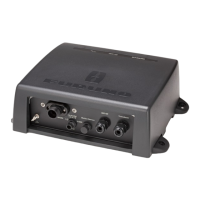
For installation of the display unit on the wings of the bridge, use the optional water
proof box DS-605. Fix the DS-605 on the bulkhead and set the display unit therein.
Installation materials for DS-605 (Type: CP66-01731, Code No.: 001-082-660-00)
Mounting considerations
The DS-605 has waterproofing protection of IP56. When you select a mounting loca-
tion for the waterproof box, keep in mind the following points.
• Keep the unit away from electromagnetic field-generating equipment like motors
and generators.
• For maintenance and checking purposes, leave enough space at the sides of the
unit and leave slack in cables. See the outline drawing at the back of this manual.
• A magnetic compass will be affected if the waterproof box is too close to the mag-
netic com-pass. Observe the compass safe distances (see page i) to prevent inter-
ference to a magnetic compass.
Mounting procedure
Note: Mount the DS-605 on the bulkhead so the cable glands and the drain hole are
down.
1. Fix the DS-605 on the wings of the bridge.
1) Insert the seal washer (03-001-3002-0 ROHS) to four fixing holes.
2) Fix the DS-605 with four
M10 bolts (dockyard sup-
ply).
Note: Mount the unit so the
cable glands are down.
Name Type Code No. Qty Comments
Seal Washer 03-001-3002-0 ROHS 300-130-020-10 4
Gasket (2) 26-003-1605 100-355-310-10 1
Washer (2) 26-003-1607 100-355-320-10 2
Cable Gland Washer JIS F8801 25C 000-172-238-10 2
Cable Grand Inner
gasket
JIS F8801 25C 000-171-892-10 1
Silicon Rubber S-8400W 50G 000-158-483-10 1
Binding Head Screw M5x12 SUS304 000-171-999-10 4 Not included if the
flush mount sponge is
not attached on the
DS-605.
340 (13.39”)
4-ø15
310 ± 0.5 (12.20”)
62 (2.44”)
176 ± 0.5
(6.93”)
Fixing hole
Cable gland



 To Next Page
 Loading...