1
1. OPERATION
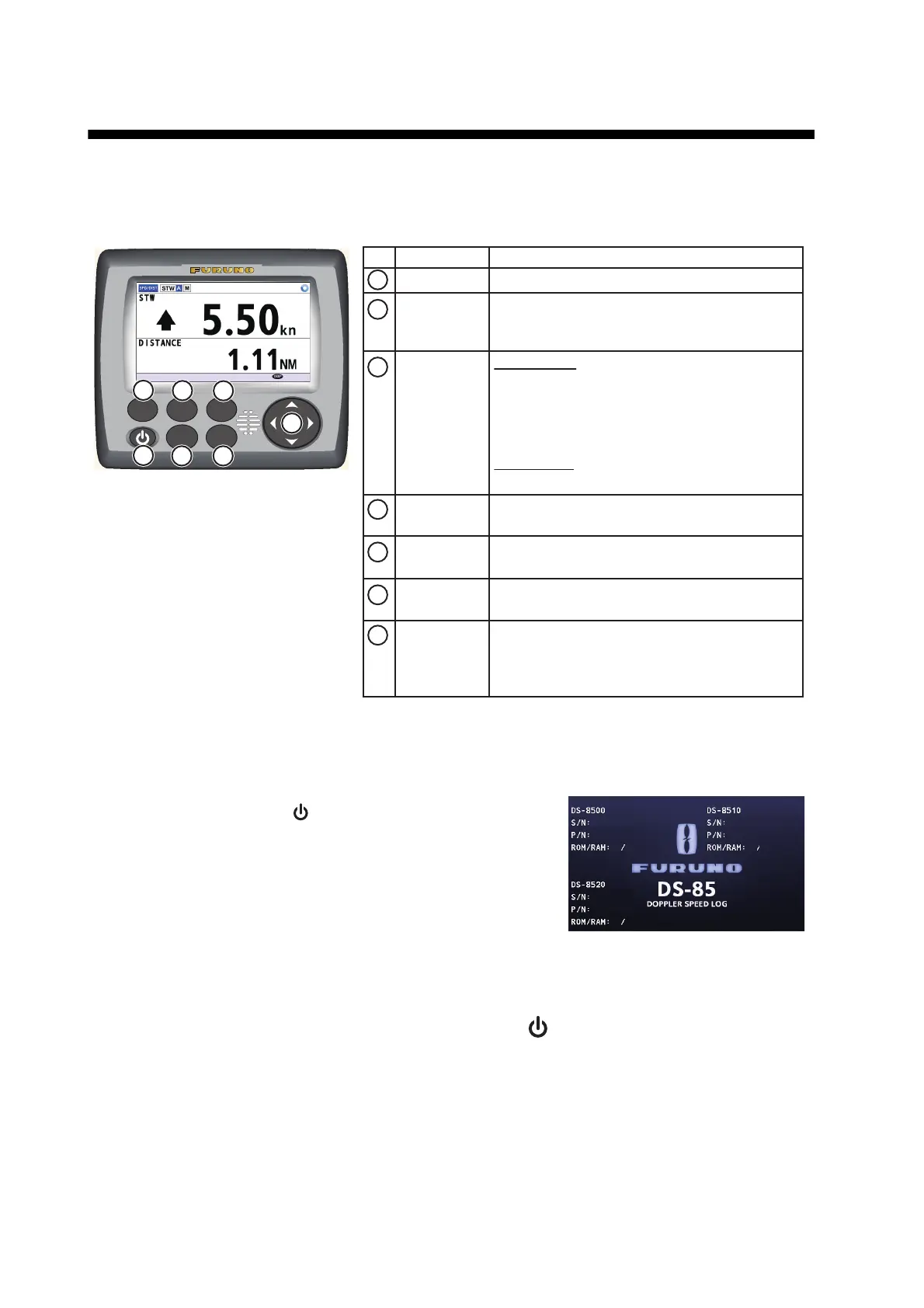
1.1 Controls Overview
1.2 How to Turn the Power On/Off
Press the POWER button ( ) to turn the equipment on. The
splash screen (see right figure) appears when the start-up pro-
cess is complete. The serial numbers and program numbers
are shown for each unit in the system. The ROM and RAM of
each unit is checked for proper operation, and the check re-
sults are shown as "OK" or "NG" (No Good). When "NG" ap-
pears, the equipment cannot start and the messa
ge "Not
Con
nected" is displayed. Try resetting the power to restore normal operation. If normal o
peration
canno
t be restored, contact your dealer for assistance.
To turn the power off, press and hold the POWER button ( ).
Note: Keep the DS-85 powered continuously, unless it fails. Turning off the DS-85 may cause an
error in associated equipment.
No. Name
BRILL Shows the brilliance pop-up window.
• Changes the display mode.
• Closes all active menu windows and returns
to the last used display screen.
•
Short press: Turns the power on.
• Long press: Turns the power off.
Switches between Daytime display and
Nighttime display.
• Opens the menu for the highlighted item.
• Applies the settings/options selected.
• Highlights a menu item/setting.
• ▲, ▼
:
Set numerical value in setting
windows.
• ◄, ►
:
Move cursor in setting window.
Short press:
• Opens/closes the main menu.
• Goes back to the main menu from a sub
menu.
• Closes the settings window and cancels
any changes.
Long press:
• Shows the alert list.
Function
DISP
MENU/ESC
POWER
DAY/NT
ENT
CursorPad
(◄, ▲,
►, ▼)
1
2
3
4
5
6
7
BRILL DISP
DAY/NT
ENT
MENU
ESC
4
5 6
7
1
2
3
: NEXT
xxxxxx
xx.xx
OK
OK
OK OK
xxxxxx
xx.xx
OK OK
xxxx-xxxx-xxxx
xx.xx



 To Next Page
 Loading...



