2. INLAND AIS OPERATION
2-4
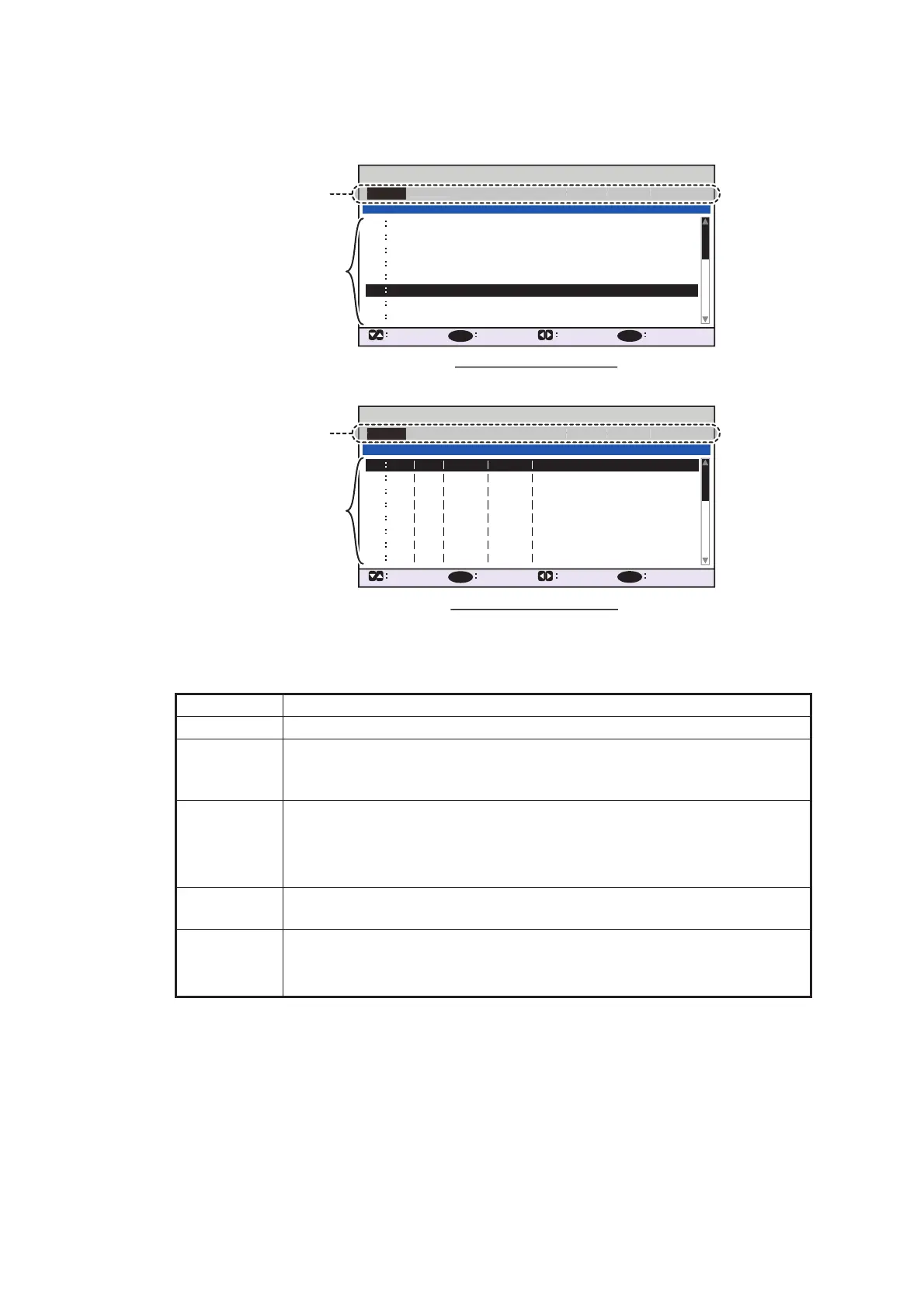
A list of destinations can also be accessed by selecting [SOLAS LIST] (displayed
as DESTINATION LIST once accessed, as shown in the figure below) or [INLAND
LIST] as appropriate for your AIS mode.
Referring to operation descriptions in the table below, press W or X to select an
operation, press S or T to select an entry in the list, then press the ENT/ACK key
to confirm the selection.
Operation Description
<SET> Set the currently selection as the destination.
<EDIT> Rename the selected destination. The software keyboard appears when
<EDIT> is selected. See section 1.5.4 for how to use the software key-
board.
<CUT> Cut the current selection to temporary memory, leaving the entry empty.
The destination can now be pasted as a different entry.
Note: Only one entry can be stored in temporary memory at a time. If
you <CUT> two entries successively, the first is deleted.
<COPY> Copy the current selection to temporary memory. The destination can
now be pasted as a different entry.
<PASTE> Paste the entry stored in temporary memory to the selected destination
number.
Note: Entries over-written with <PASTE> cannot be restored.
INLAND DESTINATION LIST
<EDIT>
DE TRI 01234 11111 56789
00000 00000
00000 00000
00000 00000
00000 00000
00000 00000
00000 00000
00000 00000
07
06
05
04
03
02
01
08
INLAND DESTINATION
<COPY>
CURSOR
EXEC FUNC
BACK
<PASTE>
<CUT>
<SET>
01 / 20
ENT
MENU
07
06
08
<EDIT>
05
04
03
02
01
<COPY>
CURSOR
EXEC FUNC
BACK
<PASTE>
<CUT>
<SET>
ENT
MENU
DESTINATION LIST
KOBE
OSAKA
TOKYO
YOKOHAMA
KAWASAKI
= NO ENTRY =
= NO ENTRY =
05
04
03
02
01 / 20
DESTINATION
ABERDEEN
CURSOR
EXEC FUNC
BACK
SOLAS destinations list
INLAND destinations list
Operation selection bar
EDIT
<COPY
PASTE>
<CUT>
<SET
Destinations
Operation selection bar
EDIT
<COPY
PASTE>
<CUT>
<SET



 To Next Page