1. MOUNTING
1-12
1.2 Monitor Unit
See the operator’s manual for MU-190 (OMC-44670) or MU-231 (OMC-44690) for the
installation procedure. Keep in mind the following points when selecting a location.
1.3 Radar Control Unit/Trackball Control Unit
The control units can be mounted on a desktop, with or without the KB fixing metal
(supplied), which mounts the control units at an angle. The control unit also can be
mounted in a console panel using the optional kit.
Note: For configurations where the RCU-020 is installed in the connection stand
(OP03-184 or OP26-20), you can exchange the RCU-020 with the RCU-025.
Mounting consideration
When you select a mounting location, keep in mind the following points:
• Select a location where the control unit can be operated conventionally.
• Locate the unit away from heat sources because of heat that can build up inside the
cabinet.
• Locate the equipment away from places subject to water splash and rain.
• Leave sufficient space at the sides and rear of the unit to facilitate maintenance.
• Determine the mounting location considering the length of the signal cable between
the control unit and the processor unit.
• A magnetic compass will be affected if the control unit is placed too close to the
magnetic compass. Observe the compass safe distances on page i to prevent com-
pass malfunction.
• Make sure that the ground wire
is connected between the earth
terminal on the chassis and the
ship’s earth.
• Fasten the USB cable with the
cable tie.
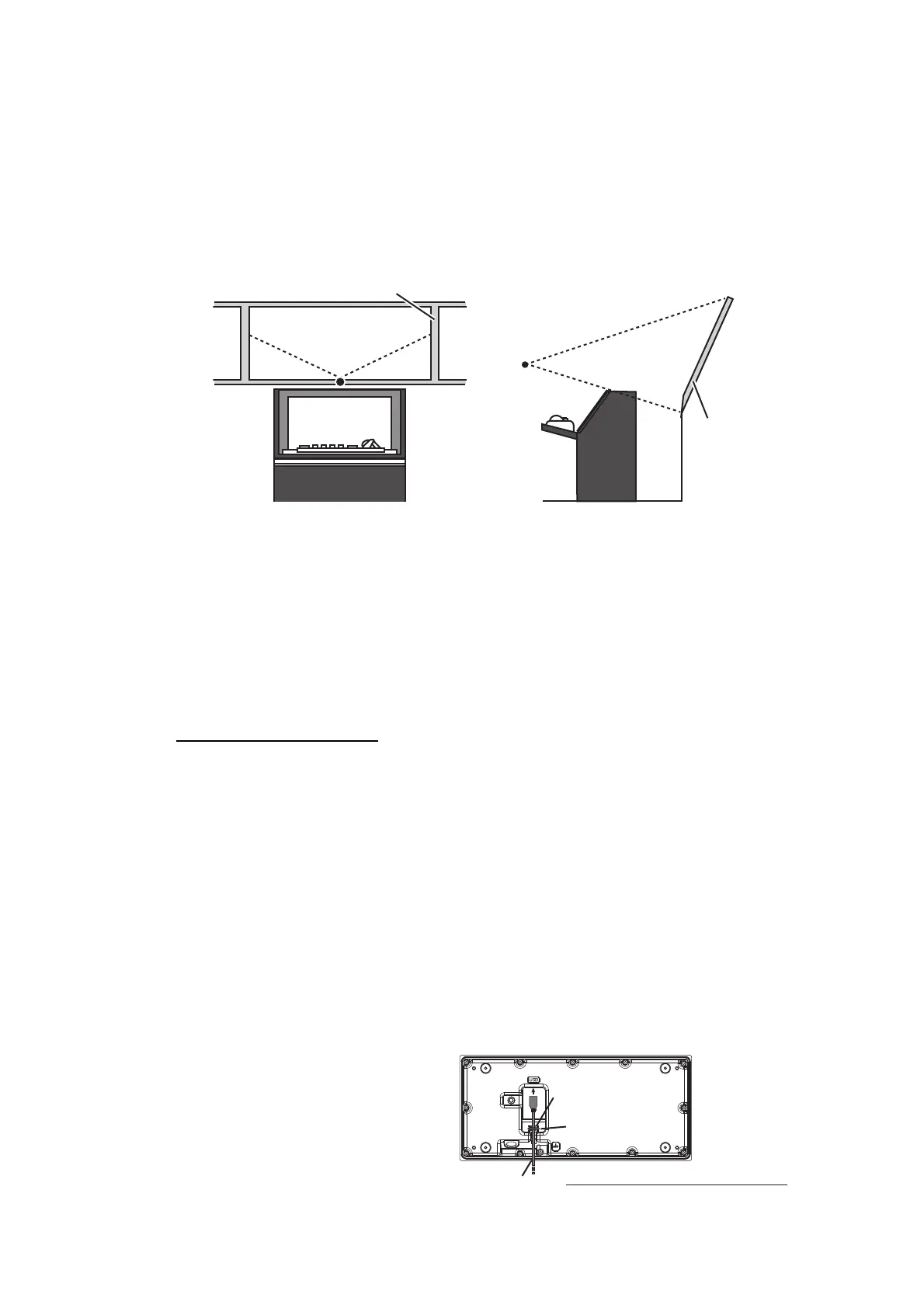
• Locate the monitor unit where no framing is installed immediately in front of the
monitor.
• Locate the monitor where the display is easily visible in all ambient lighting condi-
tions.
Bridge
window
Viewing pointViewing point
Viewing pointViewing point
Bridge window
USB cable
Cable tie
Cable routing peg
Ex. ECDIS control unit, bottom view



 To Next Page