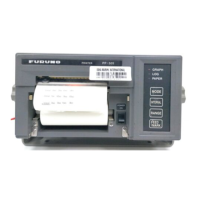
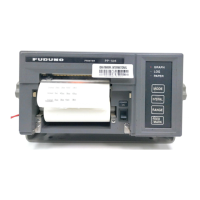
1. OPERATION
2
1.3 Paper Operations
Changeover mode
Select a mode to operate the printer. Usually the printer is used in the Online mode.
Online mode operation (ST-BY)
Preview the printed characters at the Online mode.
Note: Do not cut the paper in the online mode; a paper jam may occur.
Offline mode operation
Note: After operation, press OnLine/OffLine key to return to online mode (ST-BY). You cannot
print in the offline mode.
Micro adjust mode operation (OnLine LED blinking)
Operation Procedure
Select OnLine/OffLine
mode
Press the OnLine/OffLine key to go offline or online.
Micro adjust mode Press the OnLine/OffLine key approx. 3 seconds to go to the micro adjust
mode.
Operation Procedure
Preview 1) Press the Tear Off key to feed the paper over the printer cover to show the
characters printed.
2) Press the Tear Off key once more to feed the paper to previous state.
Operation Procedure
Paper feed 1) Press the LF/FF key to feed 1 line.
2) Press the LF/FF key for a while to feed the page.
Paper cutting 1) Press the Tear Off key to feed the paper to the cutting position.
2) Cut off the paper.
Eject paper 1) Press the Eject key to feed the paper in the reverse direction.
2) Replace the roll papaer by operation of the release lever.
Operation Procedure
Micro adjust the
printing head
1) Each press of the Eject key feeds the paper by 0.118mm.
2) Each press of the LF/FF key feeds the paper back by -0.118mm.
3) Press the OnLine/OffLine key to return to the online mode and register the
present location data.


 To Next Page