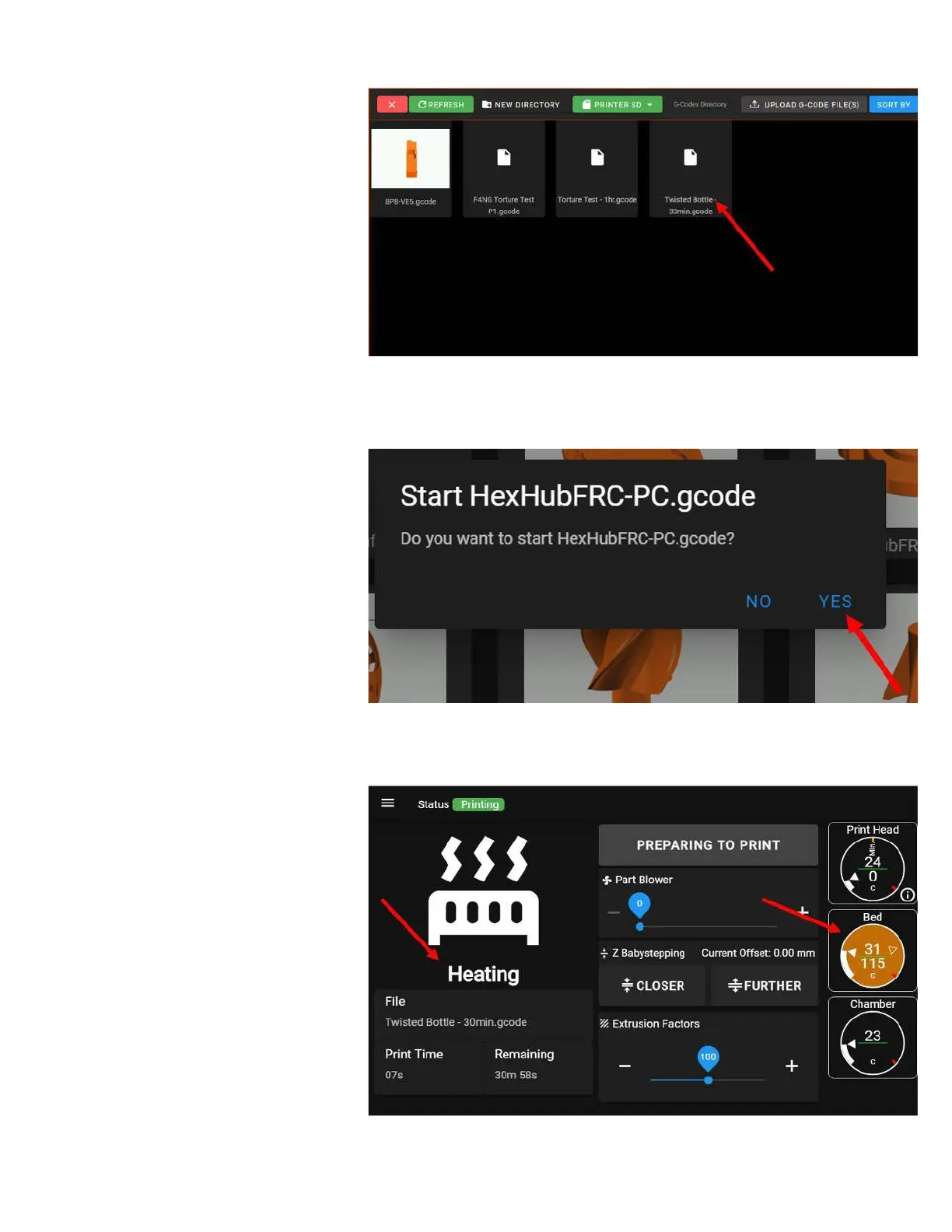
Select one of the pre-sliced files from
the list. These are all sliced for the roll
of filament we sent with your printer
(ABS).
Confirm that you want to start the
print.
NOTE: The exact files you see on
your printer will vary from the ones
in the picture. Select any file you
want.
Your printer will begin the print, but it
may seem like nothing is happening at
first. Here's the beginning of print
sequence:
1. The bed heats to its target
temperature. Nothing else will
happen until the bed is up to
temperature. You will see the
bed temperature gauge pulse
orange to indicate it's heating,
and the UI will transition to its
print progress screen. For ABS,
heating the bed for the first
time may take up to 20
minutes.



 To Next Page