7
In order to not to send for given preset the Control Change command set the no value.
Preset’s storing
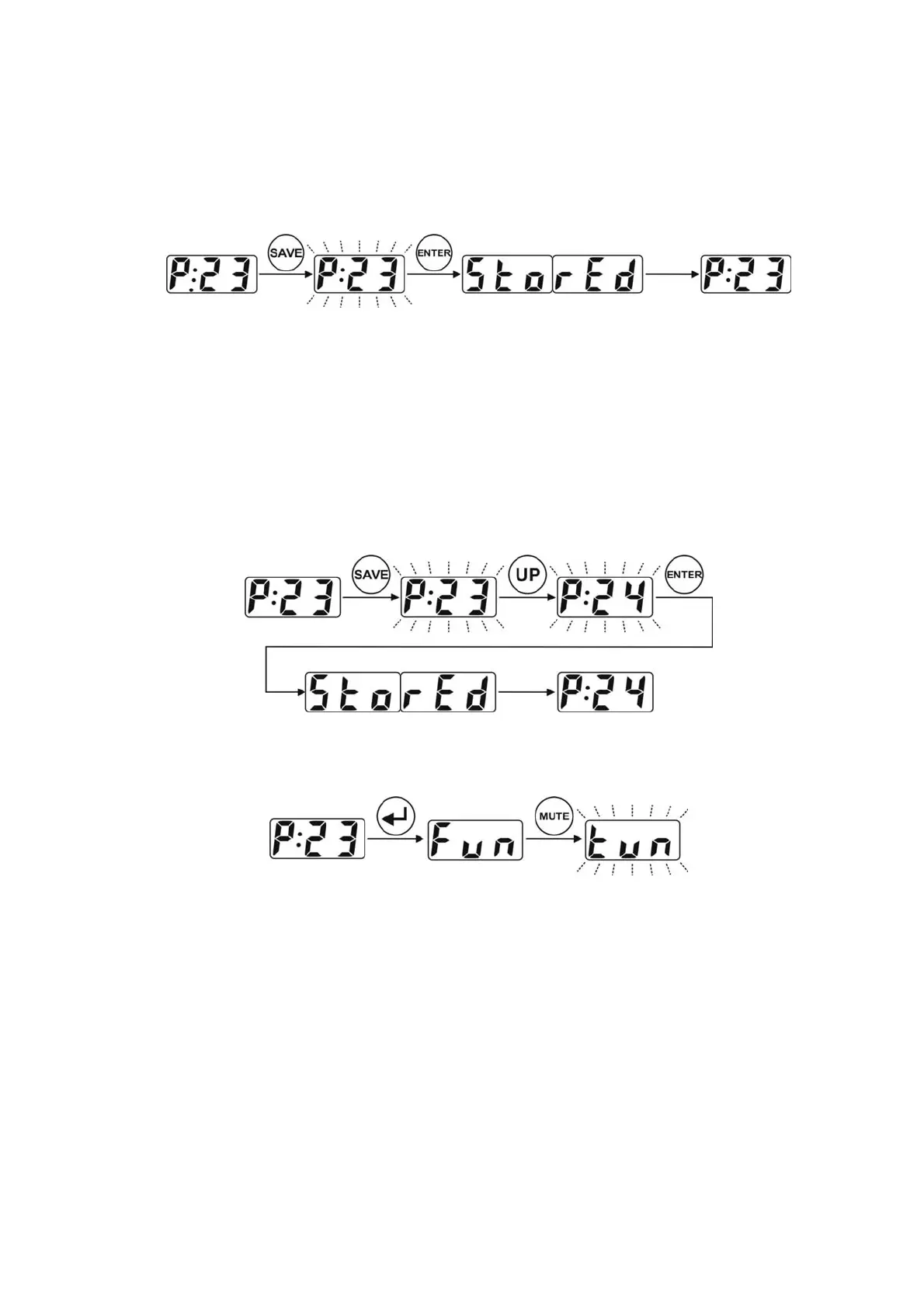
After modifying the preset’s parameters the preset should be saved. Controller enables saving modified
preset under the same preset number or under a different number. Procedure of saving under the same
number is shown below
In case of saving the preset under a different number it is needed to press SAVE button, select the preset
number by using the UP and DOWN buttons or numeric keys and after press the ENTER button.
Protec communicate means that we are trying to store in the protected memory space and that the preset
will not be stored. In such case select other number to store or unlock the memory protection.
Preset’s copying
Controller enables to copy the whole preset. The procedure is similar to preset’s saving. Selecting the
preset No to copy as well as storing could be done by the use of UP, DOWN buttons and also by using the
numeric buttons.
Silent tuning
Controller posses the silent tuning function (MUTE).
Silent tuning mode is signalised by blinking tun text. To exit from this function use one of the following
buttons: ESC, MUTE or ENTER.
Memory access lock
To avoid accidental changes in the programmed before presets controller posses memory access lock
function. This is the six level protection. Information displayed on the LED display means:
Upr
– memory unprotected (unlocked)
-20
– presets from 1 up to 20 inclusive locked
-40
– presets from 1 up to 40 inclusive locked
-60
– presets from 1 up to 60 inclusive locked
-80
– presets from 1 up to 80 inclusive locked
ALL
– whole memory space locked


 To Next Page