Receiving a Message
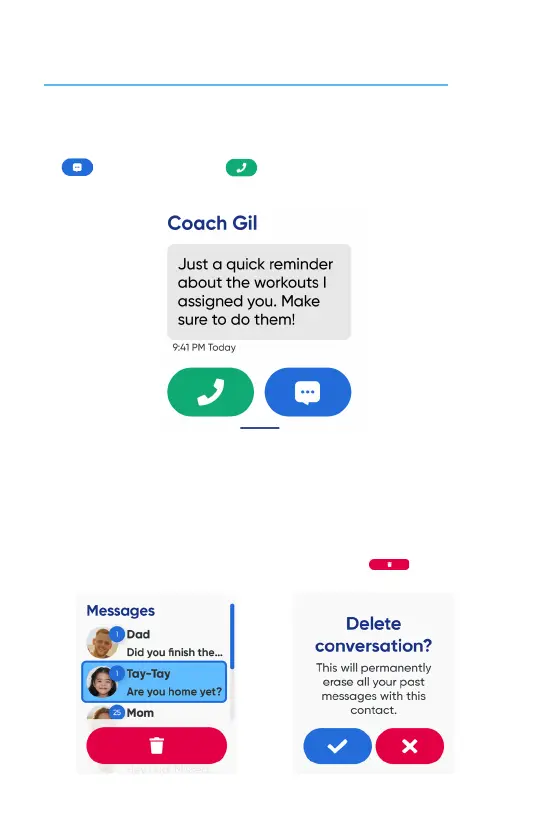
When the watch receives a new message, it will appear on the screen.
Tap to reply with a message or to call back.
NOTES: The watch can only exchange messages with contacts whose permission is allowed.
You can manage contact permissions with the MyGabb App on your phone.
19
If your message storage is full, you will receive a message informing your oldest messages
will be regularly deleted.
You may also delete messages yourself.
Press and hold for 1 second to select a conversaon, and theh tap to delete.


 To Next Page
 Loading...