Making a Call
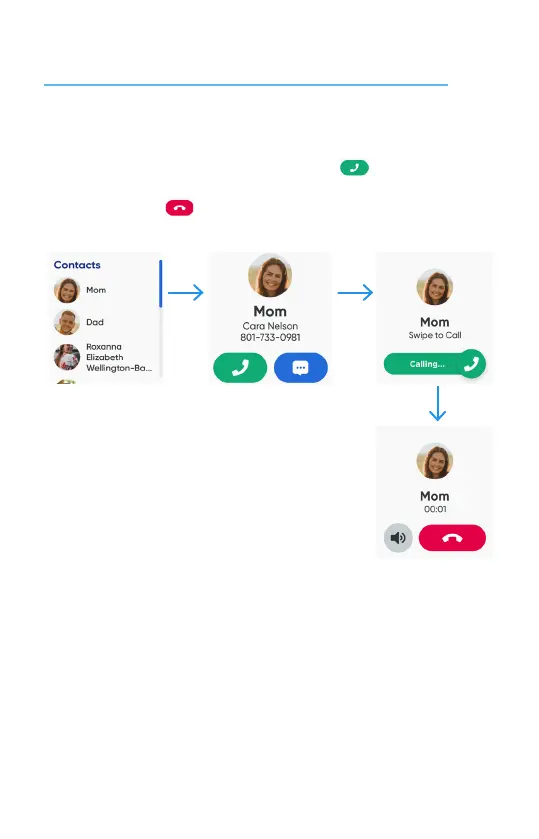
① From the watch face, swipe right to the Contacts screen. Then tap the contact you
want to call. To start the call, tap and swipe the phone icon.
② To end the call, tap icon.
NOTE: Your watch can only make and receive calls from phone numbers on the Contact list.
You can manage the contacts in the MyGabb App on your phone.
16


 To Next Page