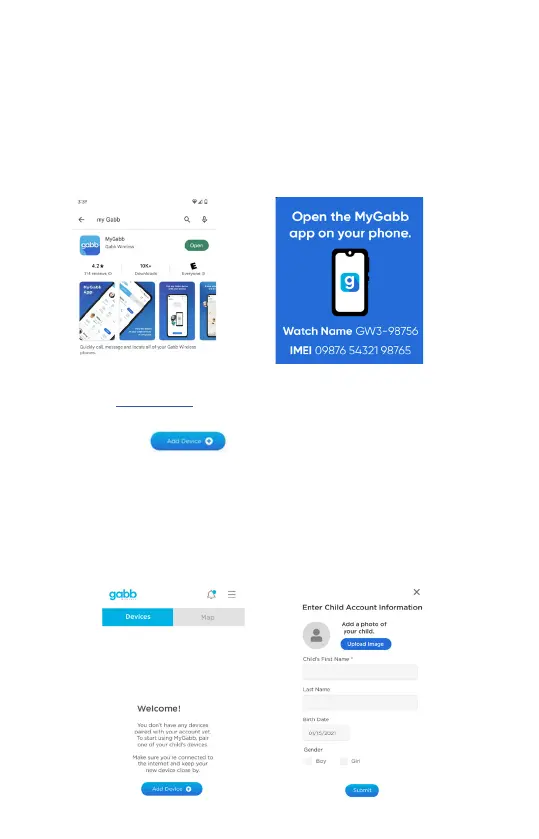
2. Download the MyGabb App on Parent’s Smartphone
To complete the device setup, make sure you have access to a reliable wireless network.
Then, follow the instrucons below to pair your watch with the app.
① Download the MyGabb App on your phone. If your phone runs on Android, download
the app from the Google Play Store; if your phone runs on iOS, download the app
from the Apple App Store (data usage may apply). The app is necessary to pair with the
watch to set up GPS locaon tracking, SOS funconality and more.
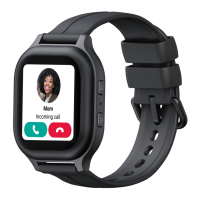
② Open the app and log in with the same email and password you used to place your
order on www.gabb.com
③ Tap Add Device .
④ Follow the instrucons on the app like lling out your child’s informaon - the child
that will be using the device.
⑤ Turn on Gabb Watch 3 (it may take a few minutes to inialize; really make sure
you’re in a high cell service area).
8


 To Next Page