11
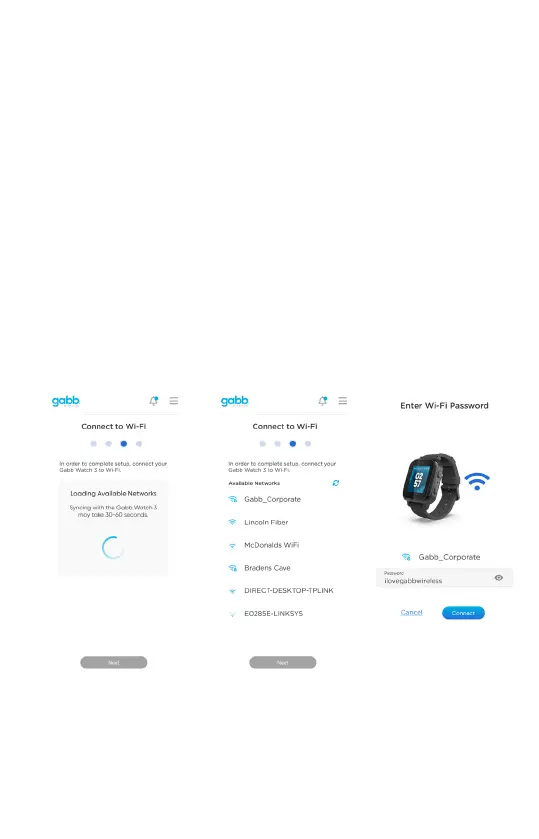
5. Connect to Wi-Fi Network
Connect your Gabb Watch 3 to your Wi-Fi network in the parent MyGabb App.
Connecng to Wi-Fi helps the watch get more accurate locaons and will allow for crical
soware updates to be performed, including adding new apps to your child’s watch.
① On the MyGabb app, wait for the watch’s available Wi-Fi networks to load. This may
take 30-60 seconds.
② Once the Wi-Fi networks have loaded, select the Wi-Fi network you want to connect to.
③ Enter the password for this network.
④ Once you have successfully connected to your Wi-Fi network, click "Next".


 To Next Page