Sending a Message
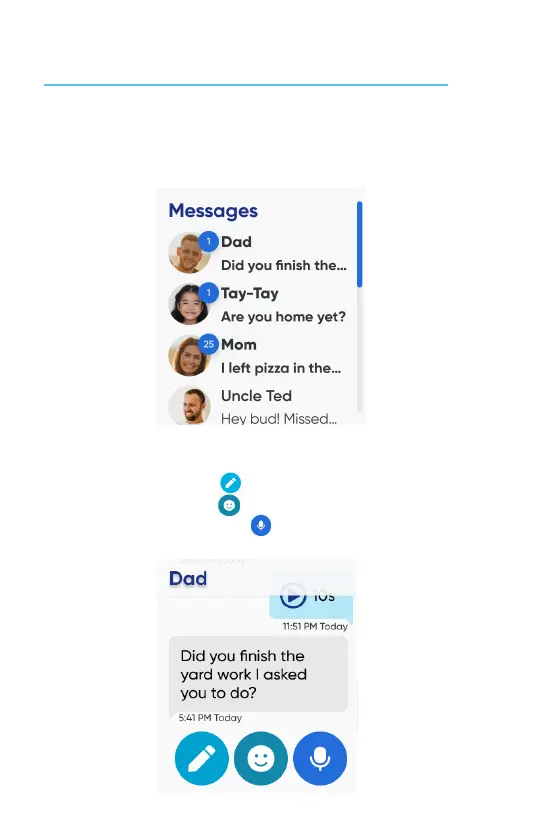
① From the watch face, swipe right twice to the Message screen. Then tap the
contact you want to send a message.
② Choose what you want to send:
• To send a composed message using a keyboard, a Speech-to-Text message, or
a preset message, tap .
• To send an emoji, tap .
• To send a voice mesage, tap .
18


 To Next Page