The Watch Face
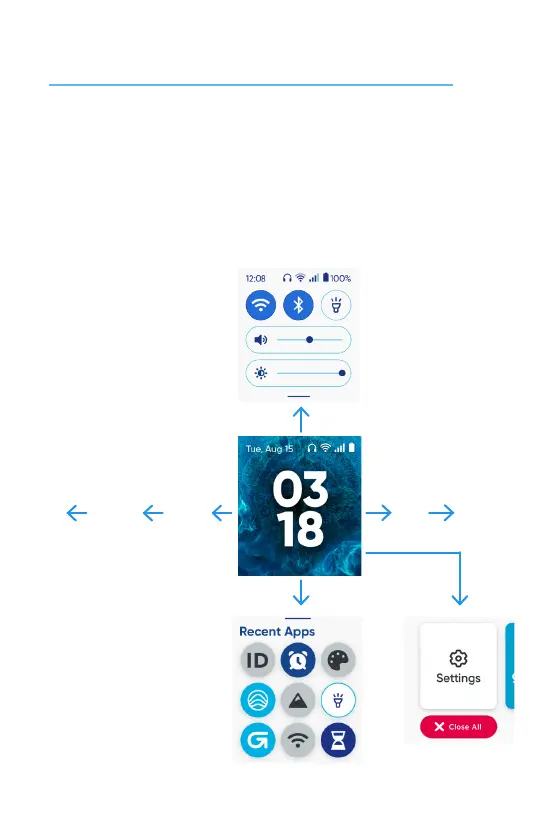
The Watch Face is like the Home Screen where you start navigang the device funcons.
• Swipe down once to use Quick Seng panel
• Swipe up once to access Recent apps
• Swipe le or right to access Apps, Sengs, Contacts, Messages, and Call History.
Apps Sengs
Contacts
Messages
Call
History
Press Power buon twice
Mul-tasking
Pane
Recent apps
Seng pane
14


 To Next Page