EasyManua.ls Logo

gabb Watch 3 - Device Settings Configuration

gabb Watch 3
28 pages
Print Icon
To Next Page IconTo Next Page
To Previous Page IconTo Previous Page
Loading...
Settings
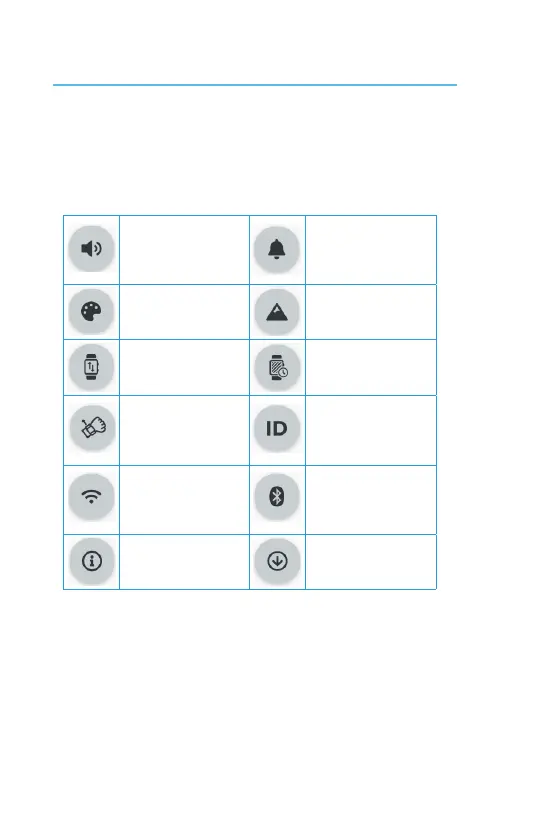
Swipe le twice to access full seng and customizaon opons.
Volume
Adjust volume and
enable or disable
vibraon
Ringtones
Set ringtones and
message tones
Theme
Choose theme for your
watch
Wallpaper
Choose wallpaper for
your watch
Watch Orientaon
Choose Le Wrist or
Right Wrist
Screen Timeout
Set screen meout
Wake Screen
Enable or disable Raise
to Wake
Gabb ID
Sign in, Update Apps, and
see your last Gabb Cloud
backup
Wi-Fi
Enable or disable Wi-Fi
connecons and select
available networks
Bluetooth
Enable or disable
Bluetooth and pair with
available devices
About Device
Display your device
informaon
Update
Check for available
soware updates
24