10
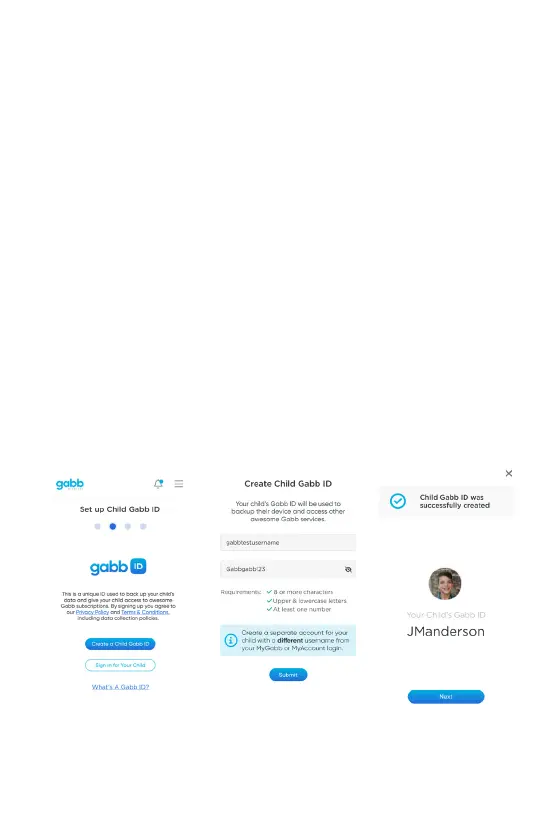
4. Create Child Gabb ID
You will need to create a Child Gabb ID for your child’s watch during the onboarding process.
This will automacally log your child into Gabb ID on their watch once pairing is complete.
This is a NEW login specically for your child and is NOT the same thing as your MyGabb app
login or your gabb.com login.
A Gabb ID is your child’s secure user prole that will allow their sengs and more to be
backed up in Gabb Cloud and will allow your child’s watch to funcon properly, including the
ability to use Speech-to-Text.
① Click “Create a Child Gabb ID”.
② Create a NEW Child Gabb ID username and password, following the credenal
requirements. This is NOT the same thing as your MyGabb app login or your gabb.com
login.
③ Creang a Child Gabb ID during the pairing process like this will automacally log your
child into Gabb ID on their Gabb Watch 3 once the pairing process is complete.


 To Next Page