EasyManua.ls Logo

Galcon S Series - User Manual

Galcon S Series
28 pages
Print Icon
To Next Page IconTo Next Page
Loading...
Computerized Control Systems
Main Features:
Independent programming of each
individual valve
Weekly or cyclical programming
Up to 4 operations per day in weekly
program mode
Irrigation duration one minute to
12 hours
Irrigation frequency once a day to once
every thirty days in a cyclical program
Waterproof when immersed in water
(IP68)
Rain off sensor option
Weather resistant
Irrigation duration modifiable as a
function of percentage entered
Operation of one to 4 valves and a
master valve
Computerized "manual" operation of
individual valves
Sequential “manual” operation - optional
Batteries: DC-1-4: two 9V alkaline
batteries
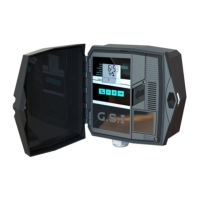
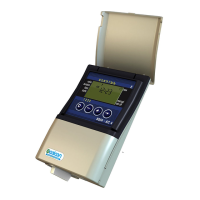
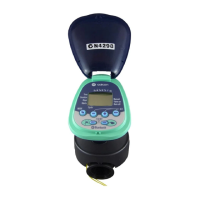
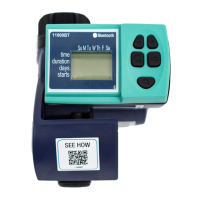
This handbook provides the installation and operating instructions for
the DC-1 and DC-4 controllers
and S series DC-1S, DC-4S, DC-6S
Battery Operated Advanced Computerized Irrigation
Controller Installation and Operating Instructions

Other manuals for Galcon S Series

Questions and Answers

  • S
    Shane AguilarAug 12, 2025
    Why doesn't my Galcon S Series valve open in auto or manual mode?
    • A
      Amanda ArnoldAug 12, 2025
      If the valve on your Galcon Controller isn't opening in either automatic or manual mode, there could be a connection issue between the controller and the solenoid. Try disconnecting and reassembling the solenoid. Alternatively, the batteries might be dead. In this case, replace them.
  • L
    Leslie MillerAug 18, 2025
    What to do if Galcon S Series Controller valve stays open in AUTO?
    • J
      Joann BergerAug 18, 2025
      If the valve remains open on your Galcon Controller even when the lever is in the AUTO position, the solenoid may be open. To resolve this, connect the controller to the valve, insert batteries, and then manually close and open the valve using the controller.
  • P
    Phillip WebbAug 27, 2025
    How to fix a Galcon S Series valve that won't close after hearing a click?
    • M
      matthewskatherineAug 27, 2025
      If you hear a click but the valve on your Galcon Controller doesn't close, first ensure that the valve lever is in the AUTO position. If it is, the issue might be dirt or scale in the valve mechanism. Try cleaning or replacing the valve to resolve this.
  • D
    Dustin WilliamsSep 3, 2025
    How to fix a Galcon Controller with no display?
    • I
      isnyderSep 3, 2025
      If your Galcon Controller has no display, the batteries might not be working. Replace the batteries to see if this resolves the issue.

Galcon S Series Specifications

General IconGeneral
DisplayLCD
Watering Duration1 minute to 12 hours
Number of Zones4, 6, 8, or 12
Power Source24V AC
MountingWall mount
CompatibilityStandard 24 VAC valves
Stations6, 12, 16, 24 (depending on model)
Rain DelayYes
Manual OperationYes
DimensionsVaries by model
WeightVaries by model

Related product manuals