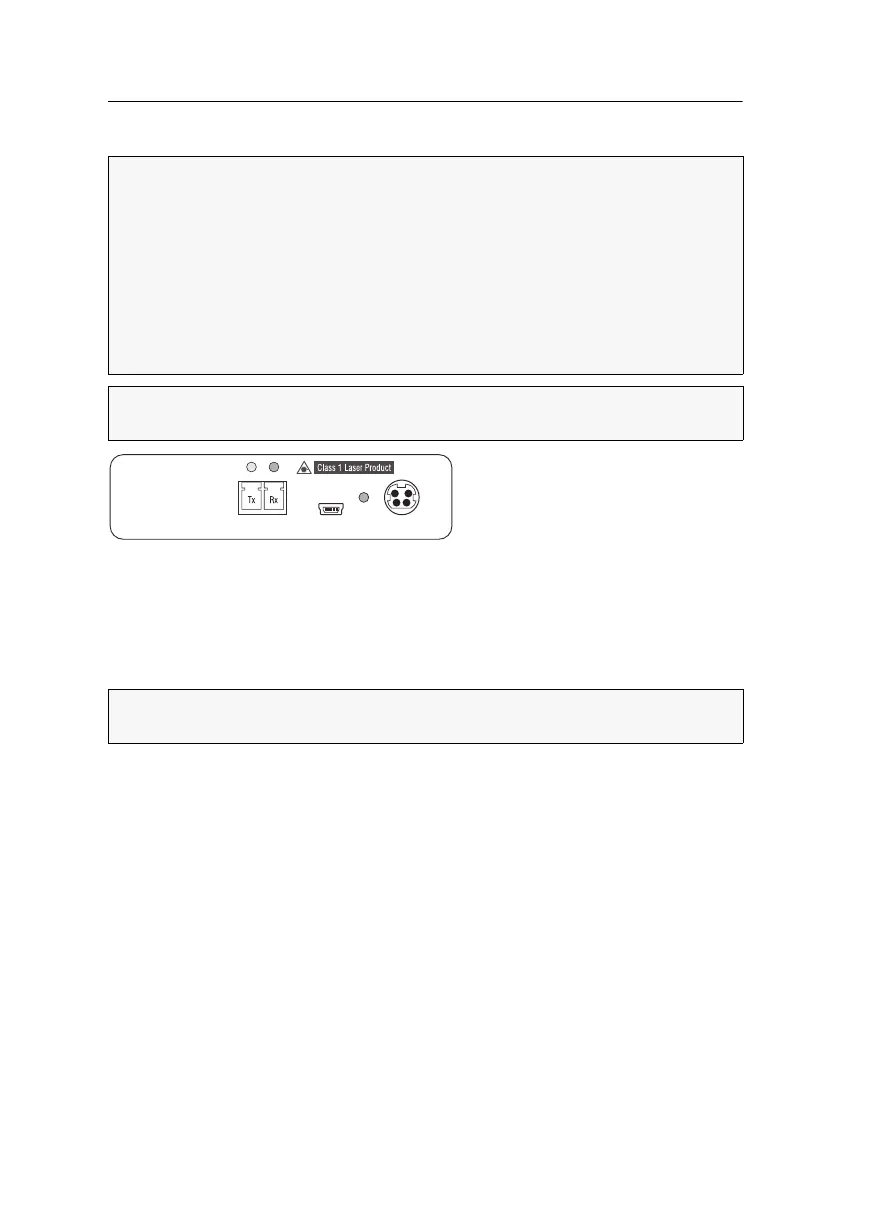
Computer module »DL-DVI-CPU-Fiber«
48 · Computer and console modules
Connection to the matrix switch
Trans.|Tx: Insert the LC plug of a compatible optical fibre cable. Connect the other
end of the cable to the
Rx interface of a Dynamic Port provided at the matrix switch.
Trans.|Rx: Insert the LC plug of a compatible optical fibre cable. Connect the other
end of the cable to the
Tx interface of the same Dynamic Port provided at the matrix
switch.
Power supply
Power In: Insert the power pack’s connection cable to this interface.
IMPORTANT:
The devices use components with laser technology which comply
with laser class
1.
They meet the requirements in accordance to EN 60825-1:2014 as well as
U.S. CFR 1040.10 and 1040.11.
Mind the following instructions when dealing with laser beams:
Avoid direct eye exposure to beam on page 3
Always connect optical connections or cover them with protection caps on page 3
Only use G&D certified transmission modules on page 3
NOTE:
Use optical fibres with LC plugs to connect the devices. The cables are
available as accessories.
ADVICE:
You can also connect the computer module directly to a compatible console
module.
Power In
Service
Power
Trans.



 To Next Page