EasyManua.ls Logo

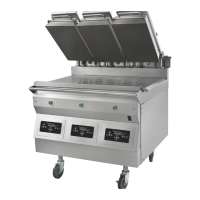
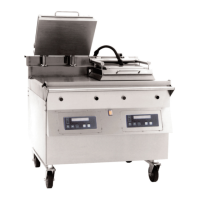
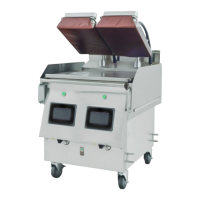
Garland MWEFH-9501 - User Manual

Garland MWEFH-9501
48 pages
Print Icon
To Next Page IconTo Next Page
Loading...
MODEL NUMBERS
MWE-9501
MWE-9801
MWEH-9501
MWEH-9801
MWEF-9501
MWEL-9501
MWER-9501
MWEFH-9501
OPERATIONS MANUAL
INTERNATIONAL
NOTE: This manual pertains to all grill models listed above. The reader/operator must interpret its
contents to applicable needs. However, if there is any question of interpretation of any literature
pertaining to Garland grills, please contact our Customer Service Department at one of the phone
numbers listed above.
WARNING:
IMPROPER INSTALLATION, ADJUSTMENT, ALTERATION, SERVICE OR MAINTENANCE CAN CAUSE PROPERTY
DAMAGE, INJURY OR DEATH. READ THE INSTALLATION, OPERATING AND MAINTENANCE INSTRUCTIONS
THOROUGHLY BEFORE INSTALLING OR SERVICING THIS EQUIPMENT.
PLEASE READ ALL SECTIONS OF THIS MANUAL AND RETAIN FOR FUTURE REFERENCE.
CAUTION: THIS EQUIPMENT MUST ONLY BE OPERATED UNDER AN APPROVED HOOD
SYSTEM
THIS EQUIPMENT “MUST” BE INSTALLED AND COMMISSIONED BY A PROFESSIONAL
FACTORY TRAINED TECHNICIAN
®
Rev 5 P/N 1881001 IN(060104)
MANUFACTURED EXCLUSIVELY FOR
McDonald's
BY
GARLAND COMMERCIAL INDUSTRIES, INC.
185 EAST SOUTH STREET
FREELAND, PENNSYLVANIA 18224
TOLL FREE: (800) 446-8367
PHONE: (570) 636-1000
FAX: (570) 636-9874
Come visit us on the web at
www.garland-group.com
E-mail: clamshell@garland-group.com

Table of Contents

Questions and Answers

  • M
    matthewfrazierJul 31, 2025
    What to do if my Garland Grill controller displays 'TOO HOT'?
    • M
      Manuel KirkJul 31, 2025
      The 'TOO HOT' message on your Garland Grill controller can appear for several reasons. First, the current selected menu item might require a lower set point temperature than the one previously selected. Second, one or more heat zones may have exceeded the set point temperatures by 79°F (27°C). Finally, the temperature may be continuing to rise. To resolve this, allow the grill to cool down to the current menu item's set point temperature.
  • D
    Dr. Meghan FergusonAug 4, 2025
    What should I do if my Garland Grill platen will not come down?
    • C
      christina92Aug 4, 2025
      If the platen on your Garland Grill will not come down, first ensure that the grill has reached the set temperature. If it has, check if the upper platen locking pin is engaged and pull it out.
  • S
    Sara CookAug 8, 2025
    What to do if my Garland Grill controller displays “MOTOR OVERCURRENT”?
    • K
      Kevin BellAug 8, 2025
      If your Garland Grill controller displays 'MOTOR OVERCURRENT', turn the main power switch off, wait 5 seconds, and turn it back on to reinitialize the controllers. Then, monitor for repetitive errors, as a possible frequency interruption may be the cause.
  • K
    Kelly KentAug 12, 2025
    What does it mean when my Garland MWEFH-9501 displays EEPROM CORRUPT?
    • A
      Aaron JohnsonAug 13, 2025
      The message 'EEPROM CORRUPT' on your Garland Grill indicates either a new version EPROM chip or a faulty EPROM chip or controller. To address this, re-initialize the unit or call for service.
  • E
    evelyn20Aug 17, 2025
    What should I do if my Garland MWEFH-9501 controller displays 'Eprom Corrupt'?
    • R
      Rachel GrayAug 17, 2025
      If your Garland Grill controller displays 'Eprom Corrupt' at startup, it means the controller has detected a corrupt menu item or a new software version has been loaded. To cancel this message, switch the grill off and on again at the main power switch.
  • Z
    Zachary FitzpatrickAug 21, 2025
    What should I do if the upper platen is stuck on my Garland Grill?
    • M
      Mary BondAug 22, 2025
      If the upper platen of your Garland Grill is stuck, it could be due to several reasons. First, the controller might not be getting an upper platen setting signal 15 seconds after raising the platen. You can cancel the message by pressing the 'TEMP' button followed by the GREEN ('RAISE') button to retry raising the platen. Second, the upper platen might be mechanically resisted, causing it to stop. Third, the platen control motor might be inoperative. In this case, turn the 'MASTER POWER' switch OFF, then ON again.
  • G
    garymooreAug 26, 2025
    What to do if my Garland Grill displays 'Clam did not go down'?
    • M
      Megan MurphyAug 26, 2025
      The 'Clam did not go down' message on your Garland Grill appears when the controller senses a zone at 465°F (241°C). You can cancel the message by pressing the 'TEMP' button.

Summary

WARRANTY

SAFETY

CLEANING AND MAINTENANCE

SPECIFICATIONS

FULL SIZE ELECTRIC GRILL MODEL MWE-9501

Electrical specifications for MWE-9501, including KW load, volts, and amperes.

HALF SIZE ELECTRIC GRILL MODEL MWEH-9501

Electrical specifications for MWEH-9501, including KW load, volts, and amperes.

2;3 SLIM GRILL MODEL MWE-9801

Electrical specifications for MWE-9801, including KW load, volts, and amperes.

UNIT INSTALLATION

CLAMSHELL GRILL CONTROLS

DESCRIPTION OF GRILL CONTROLS

NORMAL OPERATING MODES

Preheat and Cooking Procedures

Covers Preheat mode and steps for Clam and Flat Grill cooking.

SYSTEM SETUP

MENU ITEMS

PROBE CALIBRATION

TROUBLESHOOTING

Common Error Messages and Solutions

Details specific error messages, their causes, and initial troubleshooting steps.

CONTROLLER MENU ITEMS

CONTROLLER MENU ITEMS (EPROM CHIP VER. 7.XX)

Garland MWEFH-9501 Specifications

General IconGeneral
Power TypeElectric
Temperature ControlThermostatic
ConstructionStainless Steel
Voltage208/240V
Phase1

Related product manuals