EasyManua.ls Logo

Garland XPG36-2L - User Manual

Garland XPG36-2L
63 pages
Print Icon
To Next Page IconTo Next Page
Loading...
Part #: GAR_IOM_ 4532522 Rev 08—6/17
Electric/Gas Dual Side Xpress Grill
Models:
XP(E/G)12
XP(E/G)24, XP(E/G)24-1(L/R)
XP(E/G)36, XP(E/G)36-2(L/R)
Installation, Operation and Maintenance Manual
Please read all sections of this manual and retain for future reference.
For your safety:
Post in a prominent location, instructions to be followed
in the event the user smell gas. This information shall be
obtained by consulting your local gas supplier.
Original Instructions
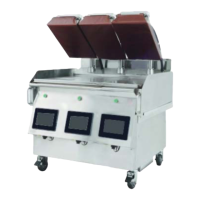
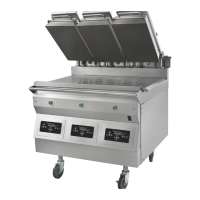
XP(E/G)36 Shown
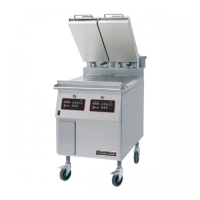
XP(E/G)24 Shown
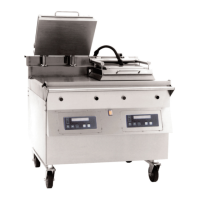
XP(E/G)12 Shown

Table of Contents

Other manuals for Garland XPG36-2L

Questions and Answers

  • N
    nguyenalisonSep 10, 2025
    Why is my food overcooked on the Garland XPG36-2L Grill?
    • O
      Olivia KleinSep 12, 2025
      There are several potential causes for overcooked food on the Garland Grill. First, ensure the correct recipe is selected. If not, select the correct recipe and retry. Second, the cook time might be too high. Use the cook cycle change screen to decrease the cook cycle, as per Restaurant operational guideline. Also, raw product might be too warm; check for correct temperature (frozen product not thawed; thawed product must be 40F or lower) as per Restaurant operational guideline. If the raw product is too thick, use the cook cycle change screen to increase the cook gap, as per Restaurant operational guideline. Finally, consider the quality of the raw product and retry the recipe with newer product, as per Restaurant operational guideline.
  • A
    Alicia ChaseNov 8, 2025
    Why is my product undercooked on the Garland XPG36-2L?
    • J
      Julie WilsonNov 8, 2025
      There are several reasons why your product might be undercooked on the Garland Grill. It could be due to selecting an incorrect recipe. Try selecting the correct recipe and retrying. Alternatively, the cook time may be too low; increase the cook cycle using the cook cycle change screen. Check that the uncooked product is at the correct temperature (not frozen) as per the Restaurant operational guideline. If the raw product is too thin, decrease the cook gap using the cook cycle change screen, as per restaurant operational guideline. Ensure you are following recommended product placement guidelines, as per Restaurant operational guideline and that you're following the recommended procedure to thaw and filet the product, as per Restaurant operational guideline. Also, do not exceed the recomm...
  • M
    Maria RichardsonNov 27, 2025
    How to troubleshoot a Garland XPG36-2L Grill when the grill or upper platen is too hot?
    • J
      Jennifer CoxNov 27, 2025
      If the grill or upper platen is too hot on your Garland Grill, it could be due to several factors. The recipe set points might be too high, so use the temperature status screen to check zone temperatures versus set point. Also, temperature calibration might be incorrect; reset the sfets to the default value and verify temperatures. Partial load cooking might be driving the temperature on an unused zone; try cooking a full load and recheck zone temperatures. Incorrect thermocouple wiring could be the cause; select the temperature status screen, place a wet rag onto each thermocouple location, and watch for a temperature drop at that zone. An intermittent thermocouple fault could also be the problem; check the wiring and connections to the SIB. If the heater wiring is incorrect, use the wiri...

Summary

Safety Notices and Definitions

Hazard Symbol Definitions

Explains hazard symbols (DANGER, Warning, Caution) and advisory terms (Notice, NOTE).

Safety Warnings and Precautions

Electrical Safety Guidelines

Covers grounding, cord safety, and proper wiring.

Installation Requirements and Safety

Damage Prevention and Hazards

Advice on avoiding damage and mitigating fire/shock risks.

Cleaning and Personal Protection

Personal Protection Measures

Safety equipment and precautions during servicing and operation.

Product Warranty and Claims

Limited Warranty Details

Covers warranty period, conditions, exclusions, and limitations of liability.

Main Features and Components

Component Identification Diagram

Illustrates and labels the main parts of the grill.

3 Platen Dimensions Specification

2 Platen Dimensions Specification

1 Platen Dimensions Specification

Electrical Input Specification - WYE (Electric models)

Electrical Input Specification - DELTA (Electric models)

Input Power Requirements

Details electrical current and power for DELTA configurations.

Gas Input Specifications

CSA Approved Models Settings

Standard gas settings for CSA models based on elevation.

CE Approved Models Settings

Standard gas settings for CE models based on elevation.

Gas Configuration and Elevation Settings

Installation Procedures

Removing Grill from Crate

Step-by-step instructions for safely removing the grill from packaging.

Site Preparation and Placement

Installation Details and Adjustments

Caster Adjustment Procedure

Steps for adjusting casters for leveling and stability.

Installation Safety and Connections

Gas Connector Requirements

Guidelines for connecting the gas supply using approved fittings.

Regulatory Compliance and Restraints

National Codes Compliance

Adherence to National Fuel Gas and Electrical Codes.

Gas Connections and Packaging Removal

Gas Connections and Pipe Sizing

Guidelines for gas line sizing and safe connection practices.

Electrical Connection and Gas Safety Checks

Electrical Connection Procedure

Instructions for connecting the unit to the electrical supply.

Gas Leak Testing and Safety

Procedures for testing gas connections for leaks and safety.

Startup Procedure and Form

Startup Scheduling and Requirements

Information on scheduling factory startup and its importance.

Operation Overview

Sequence of Operation

Describes the grill's startup sequence and cooking cycle.

easyToUCH Controller Interface

Controller Screen Functions

Descriptions of key controller functions like Press & Go, Menus, Recipes.

Operating Modes and Features

Operational Modes Overview

Details on Press & Go, Sleep Mode, and Clean Mode.

easyToUCH Operating Procedures

Startup and Preheat Process

Steps for initiating the grill and the preheating phase.

Cooking a Recipe

Procedure for selecting and starting a recipe cook cycle.

Recipe Adjustment and Control

Adjusting Cook Time and Gap

How to modify cook time and platen gap settings.

Recipe Management

Creating a New Recipe

Step-by-step guide to creating a custom recipe with parameters.

Recipe Management (Continued)

Editing Existing Recipes

How to modify previously saved recipes.

Advanced Cooking Setup

Setting Up 2-Stage Cooking

Guide for configuring multi-stage cooking, like 'Add Cheese'.

Display and Hood Settings

Detailed Cleaning Settings

Diagnostic and Status Information

Daily Cleaning Tasks

Grill Cleaning and Moving

Troubleshooting Cooking Issues

Undercooked Product Problems

Causes and solutions for food not being cooked sufficiently.

Overcooked Product Problems

Causes and solutions for food being cooked too much.

Troubleshooting System Issues

Temperature Related Issues

Problems with the grill or platens being too hot or too cool.

Garland XPG36-2L Specifications

General IconGeneral
BrandGarland
ModelXPG36-2L
CategoryGrill
LanguageEnglish

Related product manuals