User Grid Option
The user grid option lets you create a user-defined
position format by establishing factors such as longitude
of origin, scale, and false Easting or Northing.
To define a user grid:
1. Select ‘User Grid’, and press
F
. Enter values for
longitude origin, scale, false Easting and Northing,
then press
F
. Highlight ‘SAVE?’, and press
F
.
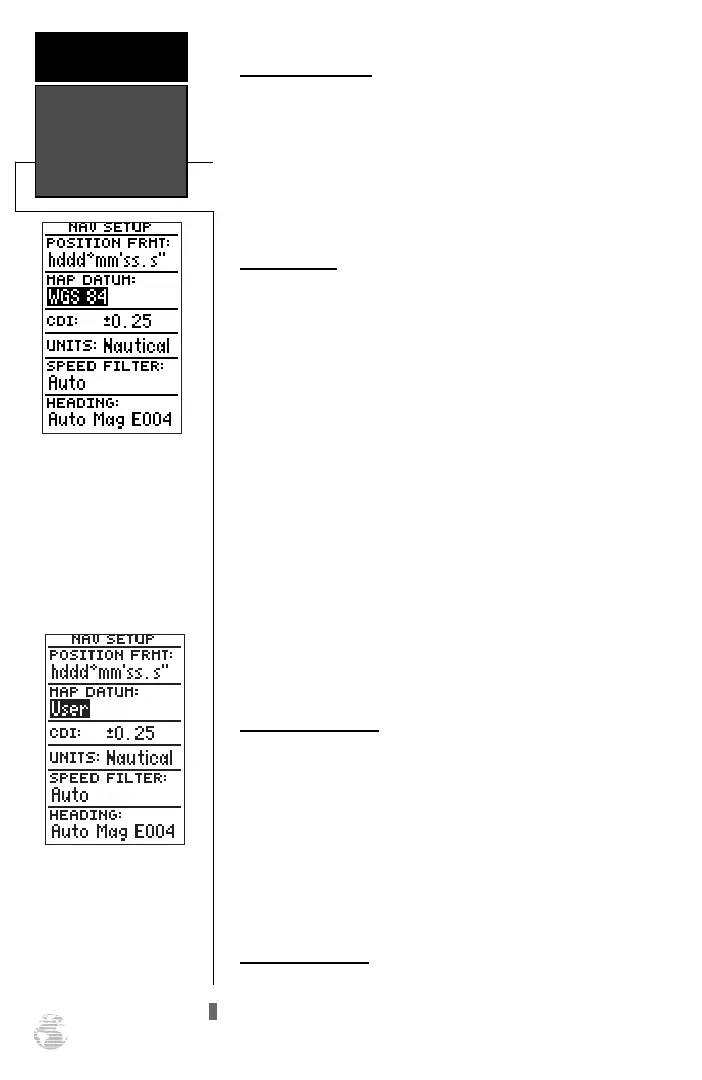
Map Datums
The ‘datum’ field is located just below the ‘position’
field and comes with a WGS 84 default setting.
Although 106 total map datums are available for use
(see Appendix D for map datums), you should only
change the datum if you are using maps or charts that
specify a different datum than WGS 84.
To select a map datum:
1. Highlight the ‘datum’ field, and press
F
.
2. Select the desired setting, and press
F
.
To define a user datum:
1. Highlight the ‘datum’ field, and press
F
.
2. Scroll through the map datum options until ‘User’
appears, and press
F
.
3. Enter values for ‘DX’, ‘DY’, ‘DZ’, ‘DA’, and ‘DF’ using the
rocker keypad, and press
F
.
4. Highlight ‘SAVE?’, and press
F
. The setup menu
will reappear.
CDI Scale Settings
The course deviation indicator (CDI) field lets you
select the +/- range of the CDI bar scale on the Highway
Page. Three scales are available: +/- 0.25 (default), 1.25,
and 5.0 miles or kilometers. Note: This CDI value rep-
resents the full deflection of scale to either side.
To enter a CDI scale setting:
1. Highlight the ‘cdi scale’ field, and press
F
.
2. Select the desired setting, and press
F
.
Units of Measure
The GPS 126/128 lets you select statute (default),
nautical, or metric units of measure for all ‘speed’ and
‘distance’ fields.
Datums, CDI
Settings, &
Measurement
REFERENCE
48
The default map datum
will cover worldwide nav-
igation. However, if you
are using a paper map or
chart which uses a differ-
ent map datum than WGS
84, then you may wish to
switch to that datum.
The user datum feature
allows you to define the
earth model used to calcu-
late position coordinates.
WARNING: Incorrect
entries may result in sub-
stantial position errors.
126/128 Manual (new) 6/15/98 9:51 AM Page 48










 To Next Page