Installation
APPENDIX B
54
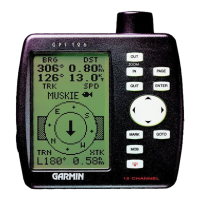
Mounting the GPS 126
The GARMIN GPS 126 should be mounted in an
exposed location with an unobstructed view of the sky.
The unit comes with a gimbal bracket that can be used
to surface mount the unit. When choosing a location
for the display unit, make sure you consider the follow-
ing conditions:
• There should be at least 2” (5 cm) clearance
behind the case to allow connection of the
power/data cable.
• The mounting surface should be rigid enough to
support the unit and protect it from excessive
vibration and shock.
• The built in antenna has an unobstructed view of
the sky.
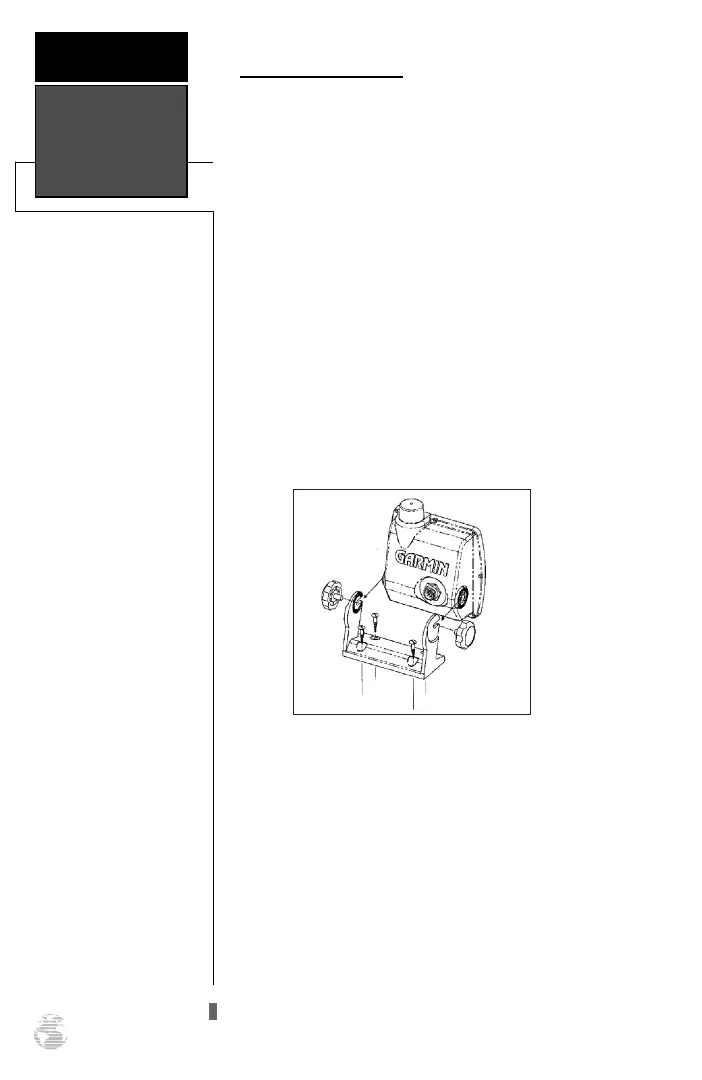
To surface mount the GPS 126:
1. Place the mounting bracket in the desired location.
2. Mark and drill the four mounting holes for the fasten-
ers you are using (not included).
3. Fasten the bracket to the surface using the appropri-
ate fasteners.
4. Insert the GPS 126 into the mounting bracket.
5. Screw the two mounting knobs through the bracket
and into the GPS 126.
6. Connect the power/data cable to the back of the unit,
making sure the locking ring is engaged.
126/128 Manual (new) 6/15/98 9:52 AM Page 54









 To Next Page