26 Navus 2 Owner’s Manual
aPPendIx
E
N
Troubleshooting
Problem/Question Solution/Answer
My Navus 2 never gets
satellite signals.
Take your Navus 2 outside, away from tall buildings and
trees.
How do I know my
Navus 2 is in USB
mass storage mode?
When your Navus 2 is in USB mass storage mode, a
picture of a Navus 2 connected to a computer is shown.
Also, you should see two new removable disk drives listed
in My Computer.
My computer never
senses that the Navus
2 is connected.
1. Unplug the USB cable from your computer.
2. Turn the Navus 2 off.
3. Plug the USB cable into your computer and your
Navus 2. The Navus 2 automatically turns on and
goes into USB mass storage mode.
I cannot nd any
drives named “Garmin”
in my list of drives.
If you have network drives mapped on your computer,
Windows may have trouble assigning drive letters to your
Navus 2 drives. See the operating system’s Help le to
learn how to rename and assign (map) your drives.
I get a message
saying “Unsafe
Removal of Device”
when I unplug the USB
cable.
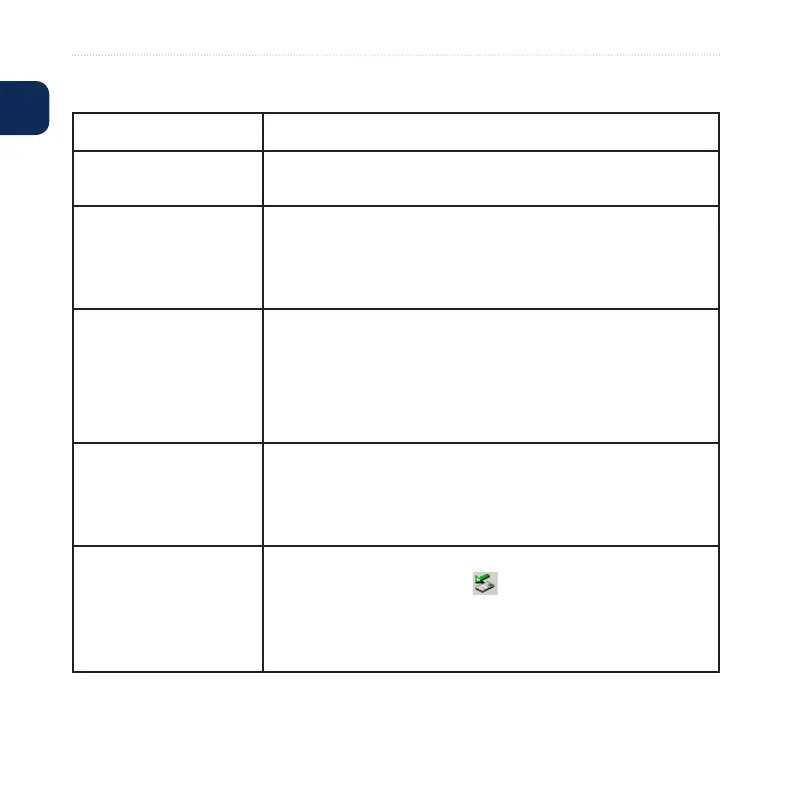
When you are ready to disconnect your Navus 2 from your
computer, double-click the Unplug or Eject icon in
your system tray. Select USB Mass Storage Device, and
click Stop. Select the Navus 2 drives, and click OK. You
can disconnect your Navus 2 from your computer now.










 To Next Page