nüvi 295W Quick Start Manual 9
Working with Found
Locations
➊
➋
➌
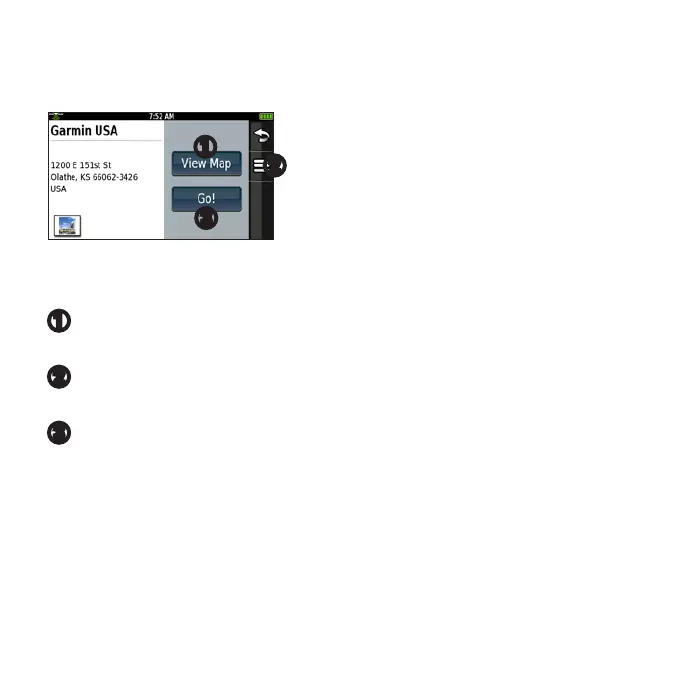
Afteryoundalocation,severaloptions
appear.
➊
Touch to view the location on the
map.
➋
Touch to save the location or to send
the location in a location e-mail.
➌
Touch to create a route to the
location.
Following Your Route
Before you can navigate with your
device, you must acquire satellites
(page 7).
Afteryoundalocation(page 7),
touch Go!.
The device creates a route to the
location and opens the map. Your
route is marked with a magenta line.
Using the Map
As you travel, your device guides you
to your destination with voice prompts,
arrows on the map, and directions at the
top of the map.
If you deviate from the original route,
your device recalculates the route and
provides new directions.
NOTE: You can see detailed map
information only for areas for which you
have maps loaded on your device.



 To Next Page